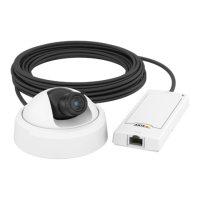
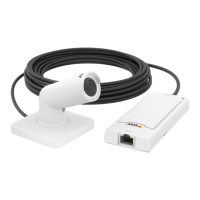
AXISP1264NetworkCamera
Video
defaultsettingsfortheAutomaticandAutomaticoutdooroptions(intheWhitebalancedrop-downlist).SelectCustomtomanually
setareferencewindowforwhitebalanceintheviewarea.
ExposureSettings
Exposureistheamountoflightthecamera’ssensorcapturesforascene.Toomuchlightresultsinawashedoutimageandtoo
littlelightresultsinadarkimage.
Exposurevalue-UsetheExposurevalueslidertoadjusttheoverallbrightnessoftheimage.
Exposurecontrol-Selectasuitableoptiontocontrolexposure.
FormostscenestheAutomaticoptionwillprovidethebestresults.Theshutterspeedisautomaticallysettoproduceoptimum
imagequality.
Iftheimageickersthatcanbecausedbyuorescentlampsorotherlightsources.Toreduceickerintheimage,selecttheFlicker
optionthatmatchesthepowerlinefrequency.
TheHoldcurrentoptionlocksthecurrentexposuresettings.
Maxexposuretime-Shutterspeed,alsocalled‘exposuretime’standsforthelengthoftimethecamerashutterisopen,thereby
exposingthecamerasensortolight.Ifshutterspeedisfastitcanfreezeactioneffectively.Ifshutterspeedisslow,itcancause
movingobjectstoappearblurred.Decreasingtheexposuretimewillreducemotionblur.
Exposurezones-Thissettingdetermineswhichpartoftheimageisusedtocalculatetheexposure.Formostsituations,theAuto
settingcanbeused.
YoucanselectapredenedareabydeningIncludeandExcludewindowswithintheimage.Excludewindowsexcludeareasthatare
toobrightordark,andIncludewindowsincludeareasinthescenethathavebetterlightingwhichwillcontributetotheexposuredata.
TheremustbeatleastoneIncludewindow.TherecanbeatotaloftenIncludeandExcludewindowstotailortheexposurezone.
NotethatanExcludewindowiseffectiveonlywhenplacedinsideanincludewindow.
Tip:IfanareaisextremelybrightdrawanIncludewindowtocoverthewholeareaanddeneExcludewindowswithinitto
blockoutthebrightareas.
Shutter&Gain
NormalLight-UsetheslidertosetthePrioritybetweenLowmotionblurandLownoise.Whenprioritizinglownoise(slider
allthewaytotheleft)theAxisproductwillautomaticallydecreaseshutterspeedasbrightnessdecreases.Whentheshutter
speedreaches1/30stheAxisproductwillincreasegainuntilthesetmaximumgainfornormallightisreached.SelecttheMax
gainvaluefromthedrop-downlist.Thisdenestheupperlimitforgaininthecontextofnormallight.Maxfastshuttersets
shutterspeedlimitinnormallightconditions.Dependingonascenario,theshutterspeedlimitmayneedtobedened.Thisis
donethroughSystemOptions>Advanced>PlainCong.
LowLight-UsetheslidertosetthePrioritybetweenLowmotionblurandLownoise.Whenprioritizinglowmotionblur(slider
allthewaytotheright)thecamerawillautomaticallyincreasegainasbrightnessdecreases.Whenthegainreachestheset
maximumgainforlowlight,thecamerawilldecreaseshutterspeeduntilthesetmaximumshutterforlowlightisreached.
Thisisthedefaultprioritysettingforlowlight.
Aboutoverlays
Overlaysaresuperimposedoverthevideostream.Theyareusedtoprovideextrainformationduringrecordings,suchasatimestamp,
orduringproductinstallationandconguration.
Aboutoverlaytext
Anoverlaytextcanincludethecurrentdateandtime,oratextstring.Whenusingatextstring,so-calledmodierscanbeusedto
displayforexamplethecurrentbitrateorthecurrentframerate.
Youcanchoosebetweenthefollowingtextoverlaysizes:
Size
TextheightBackgroundheight
Small
10pixels20pixels
19


 To Next Page