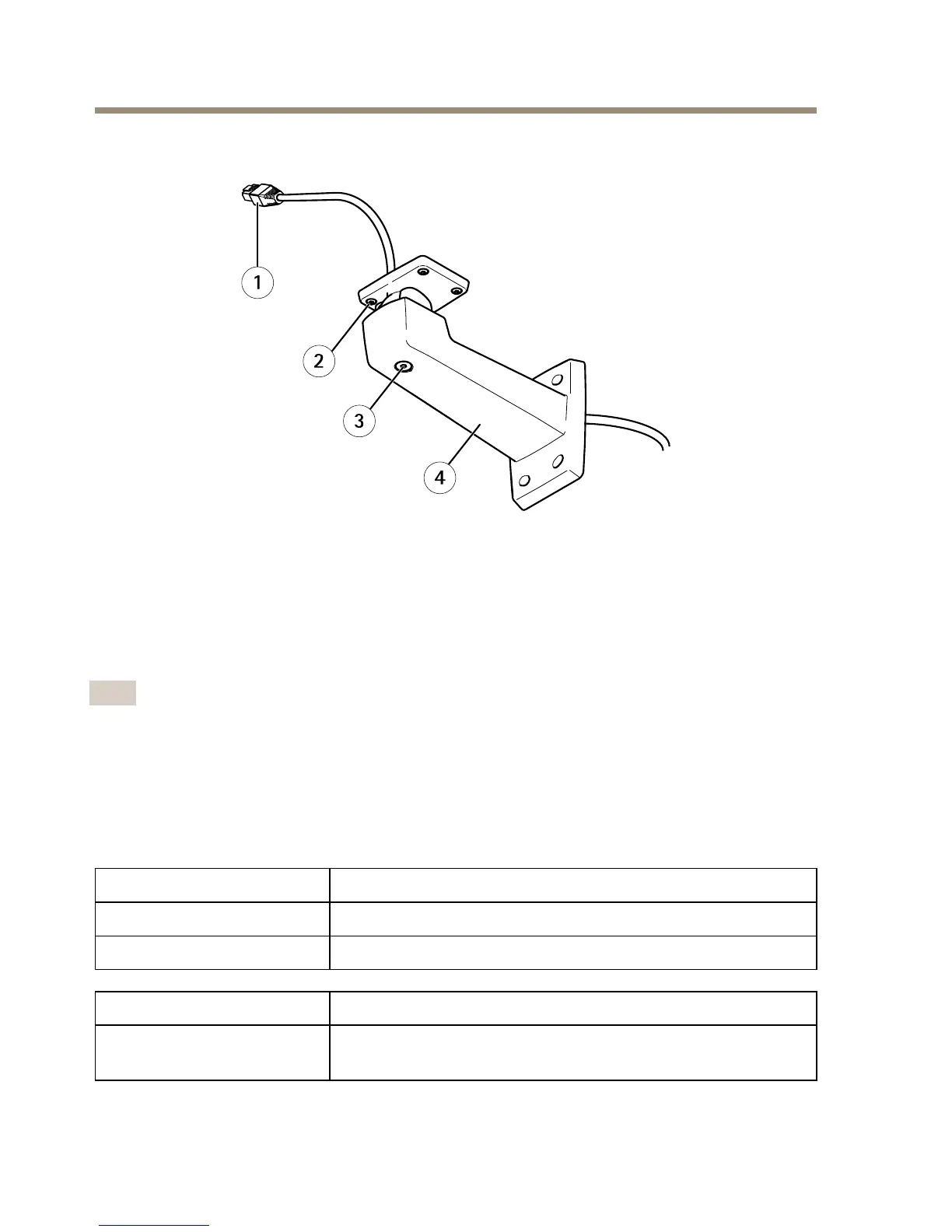
1
Networkcable(routethroughwallbracket)
2
ScrewT20(4x)
3
BracketadjustmentscrewT30
4
Wallbracket
LEDIndicators
Note
•TheStatusLEDcanbeconguredtobeunlitduringnormaloperation.Tocongure,go
toSetup>SystemOptions>Ports&Devices>LED.Seetheonlinehelpformore
information.
•TheStatusLEDcanbeconguredtoashwhileaneventisactive.
•TheStatusLEDcanbeconguredtoashforidentifyingtheunit.GotoSetup>System
Options>Maintenance.
StatusLED
Indication
GreenSteadygreenfornormaloperation.
Amber
Steadyduringstartupandwhenrestoringsettings.
NetworkLEDIndication
Green
Steadyforconnectiontoa100Mbit/snetwork.Flashesfor
networkactivity.
12



 To Next Page