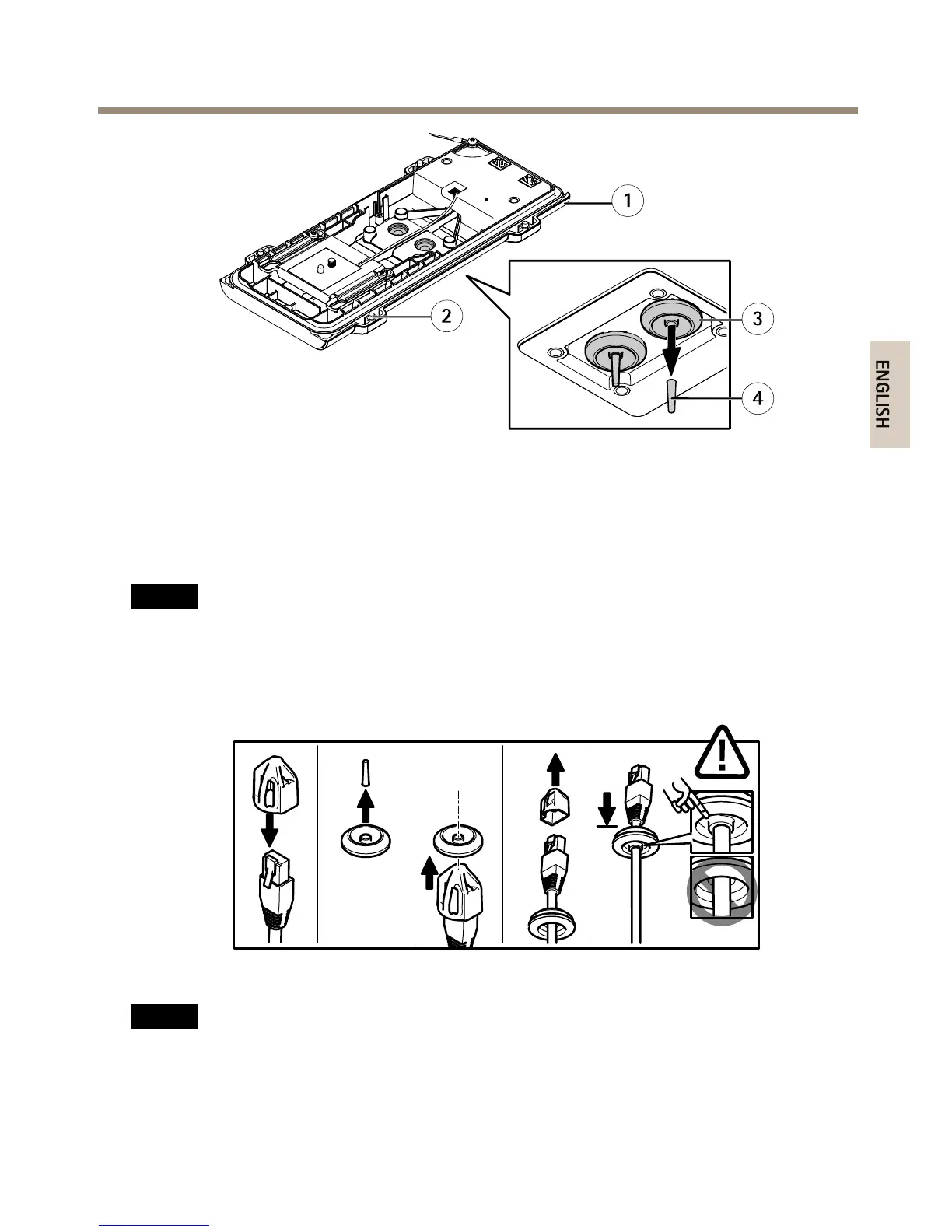
1
Bottomcover
2
BottomcoverscrewT20(4x)
3
CablegasketM20(2x)
4
Tab
3.Pushthenetworkcablethroughthecablegasket.
NO NO
NO
TICE TICE
TICE
Ifthenetworkcablehasapremountednetworkconnector,removethecablegasketand
usetheconnectorguardtopreventtearingofthecablegasket.Avoidusingnetwork
cableswithcappednetworkconnectorsbecausetheycouldcausetearingofthecable
gasketdespiteusingtheconnectorguard.
4.Pullthenetworkcablebackslightlysothatthecablegasketadjustsitselfonthecable.
NO NO
NO
TICE TICE
TICE
Notpullingthecablebackcouldcausewatertoseepinanddamagetheproduct.
21



 To Next Page