AXISP1365-ENetworkCamera
2
ScrewT20(4x)
3
Wallbracket
4
BracketadjustmentscrewT30
InstalltheCameraintheHousing
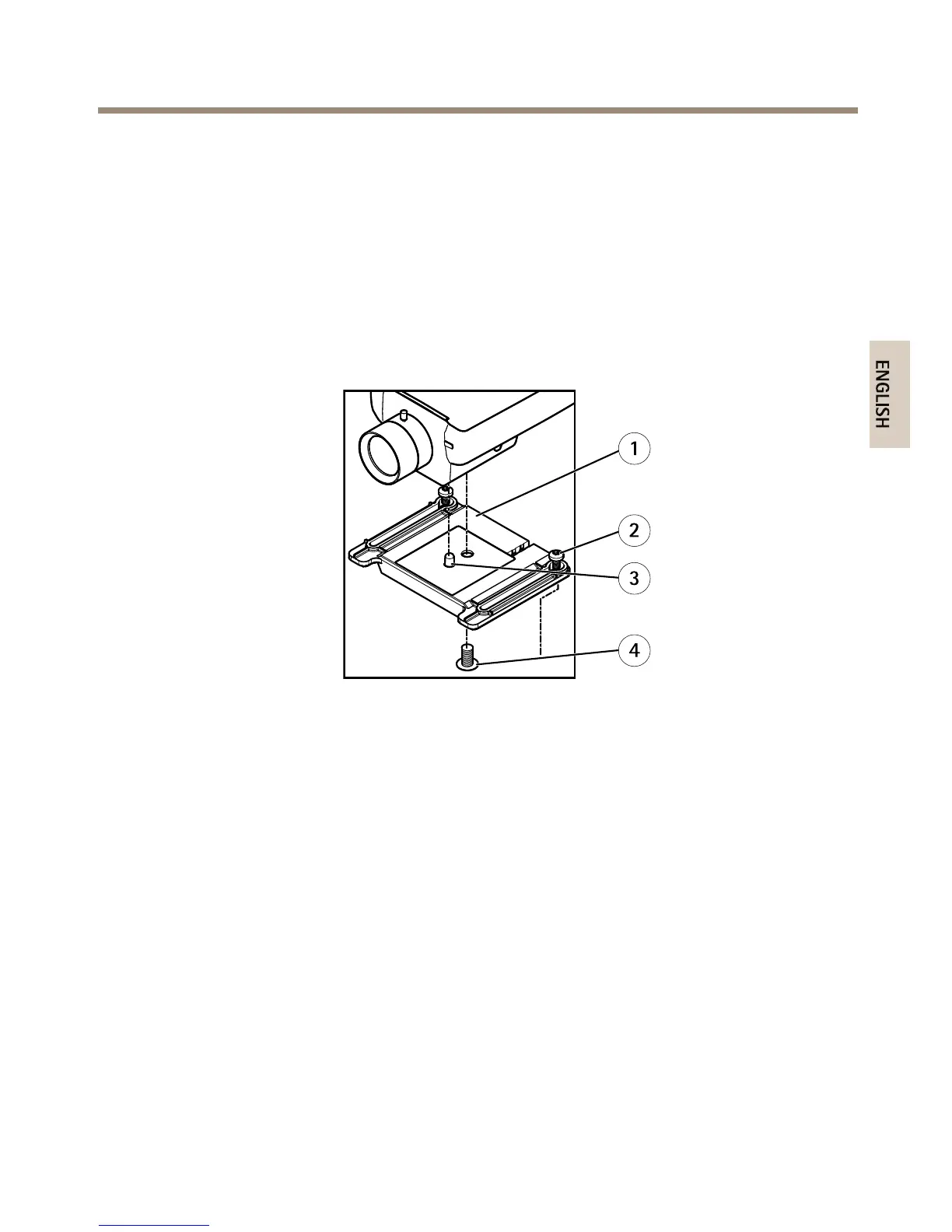
1.Loosentheholderscrews,thenslideandlifttheholder,seeillustrationbelow.
2.Attachtheholdertothecamera.Alignthepinandcamerascrewwiththepinholeand
screwmountonthecameraandtightenthecamerascrew(torque1Nm).Becarefulnot
toovertightenthescrew.
1
Holder
2
HolderscrewT20(2x)
3
Pin
4
CamerascrewT20
3.Ifapplicable,connectexternal/inputdevicesoraudiodevicestothecamera.
4.Attachtheholdertothebottomcover.Adjustthepositionoftheholdercarefullyand
tightentheholderscrews(torque0.5Nm).
23



 To Next Page