EasyManua.ls Logo

Axis P1365 - Page 25

Axis P1365
30 pages
Print Icon
To Next Page IconTo Next Page
To Previous Page IconTo Previous Page
Loading...
AXISP1365-ENetworkCamera
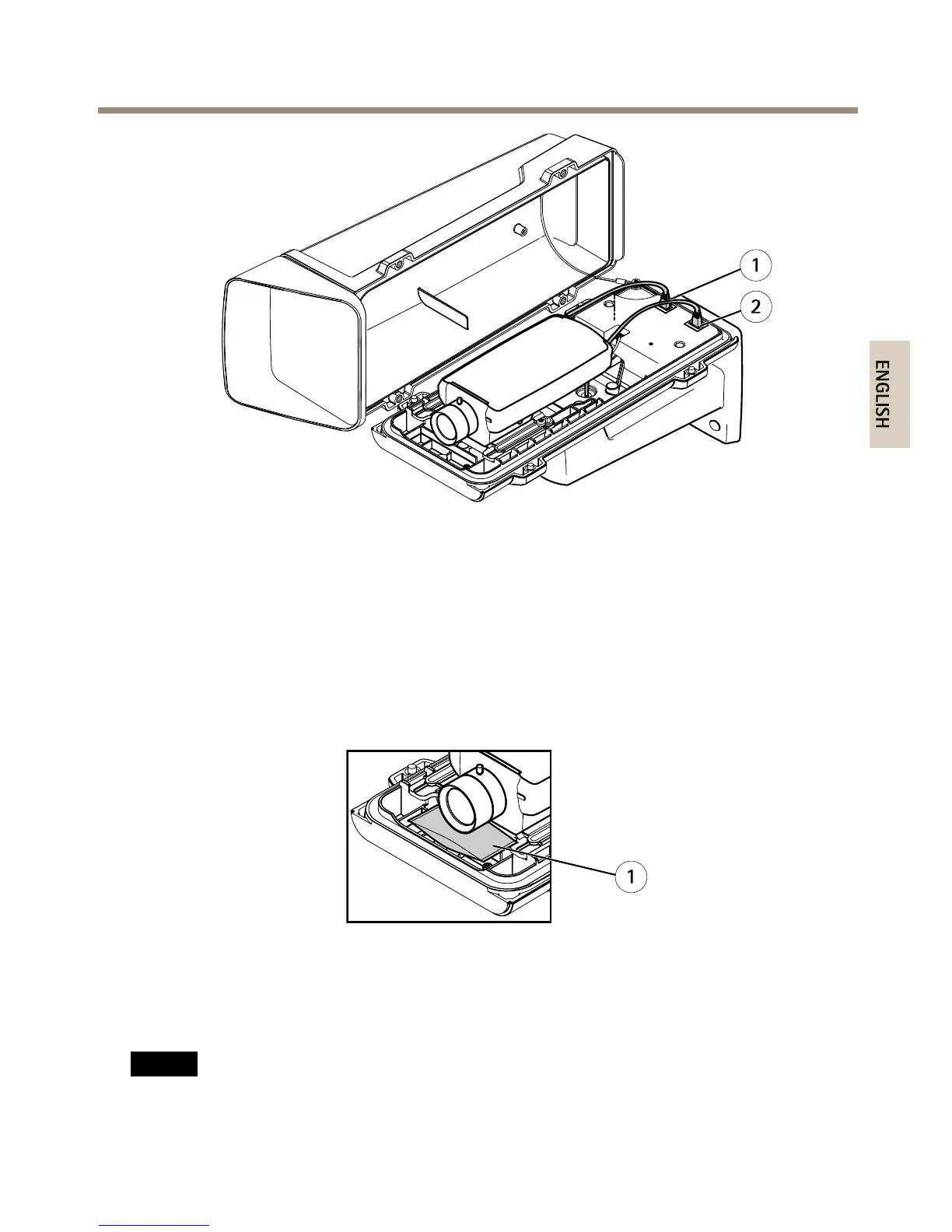
1
2
1
Networkconnector(PoEOUT)
2
Networkconnector(PoEIN)
8.MakesurethatthecameraandhousingLEDsindicatesthecorrectcondition.SeeLED
Indicators.
9.Loosenthebracketadjustmentscrewtoaimthecameratothepointofinterest.For
informationabouthowtoviewthevideostream,seeAccesstheProduct
10.Removetheplasticwrapperfromthedesiccantbagandputthedesiccantbagbelow
thelens.
1
1
Desiccantbag
11.Closethehousing.Makesuretoalternatelytightenthebottomcoverscrewsafewturns
atatimeuntiltheyaretight(torque1.5Nm).Thiswillhelpensurethatthebottom
covergasketiscompressedevenly.
NO NO
NO
TICE TICE
TICE
Makesurenottopinchanycableswhenclosingthehousing.
25
ENGLISH

Other manuals for Axis P1365

Related product manuals