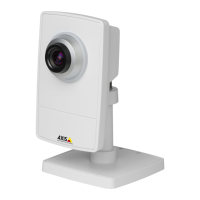
AXISP1435–LENetworkCamera
Video
Overlay
Overlaysareusedtoprovideextrainformation,suchasforensicvideoanalysisorduringproductinstallationandconguration.
Overlaysaresuperimposedoverthevideostream.
Anoverlaytextcandisplaythecurrentdateandtime,oratextstring.
Whenusingatextstring,modierscanbeusedtodisplayinformationsuchasthecurrentbitrateorthecurrentframerate.
Forinformationaboutavailablemodiers,seeFileNaming&Date/TimeFormatsintheonlinehelp
.
Itisalsopossibletodisplaytextwhenanactionruleistriggered,seeUseOverlayTextinanActionRule.
Note
Toenableoverlays:
1.GotoVideo>VideoStreamandselecttheImagetab.
2.Toincludeanoverlayimage,selectIncludeoverlayimageatthecoordinates.Theoverlayimagemustrstbeuploadedto
theAxisproduct,seeOverlayImage.
3.Toincludedateandtime,selectIncludedateandIncludetime.
4.Toincludeatextstring,selectIncludetextandenterthetextintheeld.Modierscanbeused,seeFileNaming&
Date/TimeFormatsintheonlinehelp
.
5.Denetextoverlaycharacteristicsintherelevantelds.
6.ClickSave.
Tomodifythedateandtimeformat,gotoSystemOptions>Date&Time.SeeDate&Timeonpage49.
OverlayImage
Anoverlayimageisastaticimagesuperimposedoverthevideostream.Theimage,forexampleacompanylogo,isusedtoprovide
extrainformationortomaskapartoftheimage.
Sinceitisstatic,thepositionandsizeofanoverlayimagewillremainthesameregardlessofresolutionandPan/Tilt/Zoommovements.
Useaprivacymasktosetupadynamicmaskwhichwillalwaysmaskthespeciedpartofmonitoredarea.
Formoreinformationaboutprivacymasks,seePrivacyMaskonpage25.
Touseanoverlayimage,theimagemustrstbeuploadedtotheAxisproduct.TheuploadedimageshouldbeaWindows24-bitBMP
imagewithmaximum250colors.Theimagewidthandheight,inpixels,mustbeexactlydivisibleby4andcannotbelargerthanthe
maximumimageresolution.Ifcombiningtextandimageoverlays,takeintoconsiderationthatthetextoverlayoccupies16or32
pixelsinheight(dependingontheresolution)andhasthesamewidthasthevideoimage.
ToautomaticallyscaletheimagetotheresolutionusedbytheAxisproduct,selecttheoptionScalewithresolutionfromthe
TransparencySettingspagewhichisdisplayedwhenuploadingintheimage.
Touploadanoverlayimage:
1.GotoVideo>OverlayImage.
2.ClickBrowseandbrowsetothele.
3.ClickUpload.
4.TheTransparencySettingspageisnowdisplayed:
23


 To Next Page