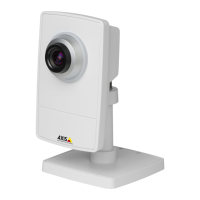
AXISP1435–LENetworkCamera
SystemOptions
7.ClickMounttomounttheSDcard.
Itispossibletochangethepassphrasewithoutreformattingthecard.OpenStorageManagement,clickEncryptandentertheold
andnewpassphrases.Thepassphrasecanonlybechangedwhenthecardismounted.Ongoingrecordingswillnotbeaffectedif
thepassphraseischanged.
Todisableencryption,unmounttheSDcardandfollowthestepsabovebutcleartheEnableSDcardencryptionoption.Thecard
mustbeformattedandmountedwhenencryptionhasbeendisabled.
NetworkShare
NetworkshareallowsyoutoaddnetworkstoragesuchasaNAS(network-attachedstorage).TheNASshallbededicatedfor
recordingsanddatafromtheAxisproductsconnectedtothenetwork.ForinformationaboutreferenceNASdevices,goto
www.axis.com/products/axis-camera-companion/support-and-documentation
Note
ForNASrecommendationsseewww.axis.com
Toaddanetworkshare:
1.GotoSystemOptions>Storage.
2.ClickNetworkShare.
3.EntertheIPaddress,DNSorBonjournametothehostserverintheHosteld.
4.EnterthenameoftheshareintheShareeld.Subfolderscannotbeused.
5.Ifrequired,selectThesharerequiresloginandentertheusernameandpassword.
6.ClickConnect.
ToclearallrecordingsanddatafromtheAxisproduct’sfolderonthedesignatedshare,clickClearunderStorageTools.
Toavoidllingtheshare,itisrecommendedtoremoverecordingscontinuously.UnderRecordingSettings,selectRemoverecordings
olderthanandselectthenumberofdaysorweeks.
Tostopwritingtotheshareandprotectrecordingsfrombeingremoved,selectLockunderRecordingSettings.
Ports&Devices
I/OPorts
TheAxisproductprovidesoneinputportandoneoutputportforconnectionofexternaldevices.Forinformationabouthowto
connectexternaldevices,seeConnectorsonpage66.
TheI/OportsareconguredunderSystemOptions>Ports&Devices>I/OPorts.Theportscanbegivendescriptivenamesandtheir
NormalstatescanbeconguredasOpencircuitorGroundedcircuit.
PortStatus
ThelistontheSystemOptions>Ports&Devices>PortStatuspageshowsthestatusoftheproduct’sinputandoutputports.
Maintenance
TheAxisproductprovidesseveralmaintenancefunctions.TheseareavailableunderSystemOptions>Maintenance.
ClickRestarttoperformacorrectrestartiftheAxisproductisnotbehavingasexpected.Thiswillnotaffectanyofthecurrent
settings.
57


 To Next Page