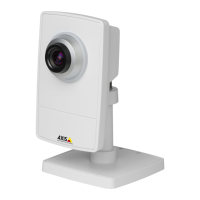
AXISP1435–LENetworkCamera
Video
PrivacyMask
Aprivacymaskisauser-denedareathatpreventusersfromviewingpartsofthemonitoredarea.Privacymasksappearasblocks
ofsolidcolorandareappliedonthevideostream.PrivacymaskscannotbebypassedusingtheVAPIX®applicationprogramming
interface(API).
ThePrivacyMaskList(Video>PrivacyMask)showsallthemasksthatarecurrentlyconguredintheAxisproductandindicates
iftheyareenabled.
Youcanaddanewmask,re-sizethemaskwiththemouse,chooseacolorforthemask,andgivethemaskaname.
Formoreinformation,seetheonlinehelp
Important
Addingmanyprivacymasksmayaffecttheproduct’sperformance.
Focus&Zoom
Forinstallationinstructions,refertotheproduct’sInstallationGuide.
Tosetfocusandzoom:
1.InstallthecameraasdescribedintheInstallationGuide.
2.GotoVideo>Focus&Zoom.
3.OntheBasictab,setthezoomlevelusingtheslider.Thebuttons<and>movethezoompositiononestepineither
direction.Thebuttons<<and>>movethezoompositioninmultiplestepsineitherdirection.
4.ClickPerformautofocustofocusthecameraautomatically.
5.Ifmoreadjustmentsareneeded,gototheAdvancedtab.
Note
•Movementsinfrontofthecamerashouldbeavoidedduringautomaticfocusing.
OntheAdvancedtab,focuscanbeadjustedmanually:
1.ClickOpeniristoopentheiristoitsmaximumposition.Thisgivesthesmallestdepthofeldandprovidesthebest
conditionsforfocusing.
2.FocusissetintheFocuswindow.Usethemousetomoveandresizethefocuswindow.
3.ClickintheFocuspositionbartofocusonadesiredlocation.Thebuttons<and>movethefocuspositiononestepin
eitherdirection.Thebuttons<<and>>movethefocuspositioninmultiplestepsineitherdirection.
4.Whensatised,clickEnableiristoenabletheiris.
25


 To Next Page