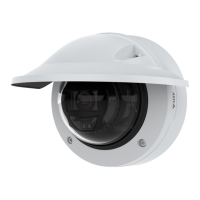
AXISP3265-VDomeCamera
Thewebinterface
•Addsharewithouttesting:Selecttoaddthenetworkshareevenifanerrorisdiscoveredduringtheconnectiontest.
Theerrorcanbe,forexample,thatyoudidn’tenterapasswordeventhoughtheserverrequiresone.
Removenetworkstorage:Clicktounmount,unbind,andremovetheconnectiontothenetworkshare.Thisremovesallsettings
forthenetworkshare.
Unbind:Clicktounbindanddisconnectthenetworkshare.
Bind:Clicktobindandconnectthenetworkshare.
Unmount:Clicktounmountthenetworkshare.
Mount:Clicktomountthenetworkshare.
Writeprotect:Turnontostopwritingtothenetworkshareandprotectrecordingsfrombeingremoved.Youcan’tformata
write-protectednetworkshare.
Retentiontime:Selecthowlongtokeeprecordings,tolimittheamountofoldrecordings,ortocomplywithregulationsregarding
datastorage.Ifthenetworkstoragebecomesfull,oldrecordingsareremovedbeforetheselectedtimeperiodpasses.
Tools
•Testconnection:Testtheconnectiontothenetworkshare.
•Format:Formatthenetworkshare,forexample,whenyouneedtoquicklyerasealldata.CIFSistheavailable
lesystemoption.
Usetool:Clicktoactivatetheselectedtool.
Onboardstorage
Important
Riskofdatalossandcorruptedrecordings.DonotremovetheSDcardwhilethedeviceisrunning.UnmounttheSD
cardbeforeyouremoveit.
Unmount:ClicktosafelyremovetheSDcard.
Writeprotect:TurnontostopwritingtotheSDcardandprotectrecordingsfrombeingremoved.Youcan’tformata
write-protectedSDcard.
Autoformat:TurnontoautomaticallyformatanewlyinsertedSDcard.Itformatsthelesystemintoext4.
Ignore:TurnontostopstoringrecordingsontheSDcard.WhenyouignoretheSDcard,thedevicenolongerrecognizesthatthe
cardexists.Thesettingisonlyavailableforadministrators.
Retentiontime:Selecthowlongtokeeprecordings,tolimittheamountofoldrecordings,ortocomplywithregulationsregarding
datastorage.IftheSDcardbecomesfull,oldrecordingsareremovedbeforetheselectedtimeperiodhaspassed.
Tools
•Check:CheckforerrorsontheSDcard.Thisonlyworksfortheext4lesystem.
•Repair:Repairerrorsintheext4lesystem.TorepairanSDcardwiththeVFATlesystem,ejecttheSDcard,insertit
inacomputer,andperformadiskrepair.
•Format:FormattheSDcard,forexample,whenyouneedtochangethelesystemorquicklyerasealldata.VFAT
andext4arethetwoavailablelesystemoptions.Therecommendedformatisext4,duetoitsresilienceagainst
datalossifthecardisejectedorifthereisanabruptpowerloss.However,youneedathird-partyext4driveror
applicationtoaccessthelesystemfromWindows®.
•Encrypt:UsethistooltoformattheSDcardandenableencryption.EncryptdeletesalldatastoredontheSDcard.
AfterusingEncrypt,thedatathat’sstoredontheSDcardisprotectedusingencryption.
•Decrypt:UsethistooltoformattheSDcardwithoutencryption.DecryptdeletesalldatastoredontheSDcard.After
usingDecrypt,thedatathat’sstoredontheSDcardisnotprotectedusingencryption.
•Changepassword:ChangethepasswordrequiredtoencrypttheSDcard.
Usetool:Clicktoactivatetheselectedtool.
Weartrigger:SetavaluefortheSDcardwearlevelatwhichyouwanttotriggeranaction.Thewearlevelrangesfrom0–200%.
AnewSDcardthathasneverbeenusedhasawearlevelof0%.Awearlevelof100%indicatesthattheSDcardiscloseto
itsexpectedlifetime.Whenthewear-levelreaches200%,thereisahighriskoftheSDcardmalfunctioning.Werecommend
49



 To Next Page