Need help?
Do you have a question about the Axis P3265-LVE-3 and is the answer not in the manual?
Locate Axis devices on the network and assign IP addresses using AXIS IP Utility or AXIS Device Manager.
Details on supported browsers for accessing the device's web interface, including compatibility notes.
Steps to open the device's webpage, log in, and set the initial root password.
Instructions for setting a new, secure password for the root account upon first login.
Guidelines for selecting mounting height and angle for optimal license plate capture in different scenarios.
Walkthrough for configuring the application, including Free flow setup and image rotation.
Configuration for access control scenarios and setting up event storage for license plate data.
Adjusting image capture settings, selecting regions, and defining the area of interest for detection.
Overview of preview mode for installers and initial device setup.
Steps to configure the device for use with AXIS Camera Station as an external data source.
Optimizing image processing, exposure modes, and compensating for barrel distortion.
Reducing bandwidth and storage using compression, H.264, and H.265 encoding.
Setting up rules for events, recording based on detection, and configuring notifications.
Managing detected license plates, adding descriptions, and customizing list names.
Importing allowlisted numbers from CSV files and sharing lists across cameras.
Configuring text overlays and adjusting detection parameters for low-light conditions.
Configuring strict matching, character deviation, and limited operator access.
Setting up secure connections, backing up and restoring settings, and clearing event data.
Using virtual ports with access control to trigger actions like displaying text overlays.
Setting up scenarios for vehicle entry and exit using relay modules or camera I/O.
Configuring the system to trigger notifications upon detecting unauthorized vehicles.
Integrating the camera with Axis network door controllers for access control.
Configuring hardware in AXIS Entry Manager and the AXIS License Plate Verifier.
Connecting AXIS Secure Entry with AXIS Camera Station and License Plate Verifier.
Using the search feature to find specific events and exporting results to CSV files.
Configuring profiles to push events to multiple servers using TCP or HTTP POST.
Pushing images of license plates to a server using FTP protocol.
Setting up direct integration with 2N IP devices and Genetec Security Center.
Overview of the main menu, user menu, context menu, and status indicators.
Playing, freezing, and capturing video streams, and managing I/O ports and IR illumination.
Adjusting installation settings, focus, zoom, and image correction features.
Adjusting image appearance, removing distortion, and applying electronic image stabilization.
Selecting scene profiles and adjusting saturation, contrast, brightness, and sharpness.
Configuring white balance settings based on different light environments for natural color reproduction.
Selecting exposure modes, IR cut filter, illumination, and adjusting aperture settings.
Optimizing exposure for specific areas and reducing motion blur in low-light conditions.
Optimizing stream quality and bandwidth using Zipstream and bitrate control settings.
Adding text or image overlays to the video stream and creating view areas.
Configuring privacy masks and managing audio input/output and stream settings.
Configuring date/time, network settings, security protocols, and user management.
Configuring MQTT, SIP, and ONVIF protocols for device communication.
Managing onboard storage, network shares, and installing/managing applications.
Procedures for restarting the device, restoring settings to factory defaults, and managing firmware.
Instructions for upgrading to new firmware versions and rolling back to previous versions.
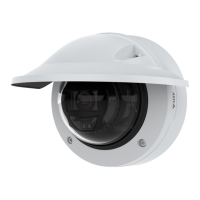
Details on the product's physical components, including status LED indicators.
Information about the SD card slot, control button functions, and connector types.
Specifications for the I/O connector, including digital inputs and outputs.
Procedures for performing a factory reset and checking the current firmware version.
Resolving issues related to firmware upgrades and IP address conflicts.
Troubleshooting issues with browser login, H.264/H.265 streaming, and poor image rendering.
Addressing performance considerations and contacting Axis support for assistance.
 General
| Category | Security Camera |
|---|---|
| Form Factor | Dome |
| Connectivity | Wired |
| Day/Night | Yes |
| IR Illuminators | Yes |
| Vandal Resistance | IK10 |
| Type | Dome |
| IR Range | 30 m |
| Weather Protection | IP66 |
| Ingress Protection | IP66 |
| Power Supply | 12 V DC, PoE |
| Power over Ethernet | Yes |
| Included Accessories | Installation guide |
| Video Compression | H.264, MJPEG |
| Audio Support | Yes |
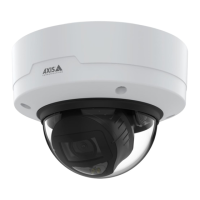
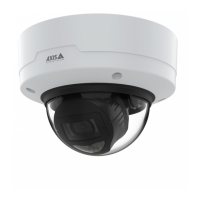
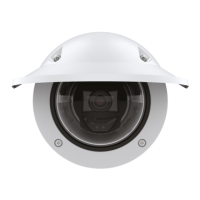
| Model | Axis P3265-LVE-3 |
| Operating Temperature | -40 °C to 60 °C (-40 °F to 140 °F) |

 To Next Page