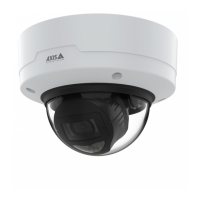
AXISP32DomeCameraSeries
Specifications
StatusLED
Indication
Unlit
Connectionandnormaloperation.
GreenShowssteadygreenfor10secondsfornormaloperationafterstartupcompleted.
Flashesgreenduringwirelessnetworkpairing.
Steadygreenfornormaloperation.
Flashesbeforestartupifthetemperatureisbelow-20°Candheatingisrequired.Theproduct
startswhenitreachesoperatingtemperature.
Amber
Steadyduringstartup.Flashesduringrmwareupgradeorresettofactorydefault.
Steadyduringstartup.Flasheswhenrestoringsettings.
Amber/RedFlashesamber/redifnetworkconnectionisunavailableorlost.
RedFirmwareupgradefailure.
NetworkLEDIndication
Green
Steadyforconnectiontoa100Mbit/snetwork.Flashesfornetworkactivity.
Steadyforconnectiontoa1Gbit/snetwork.Flashesfornetworkactivity.
Amber
Steadyforconnectiontoa10Mbit/snetwork.Flashesfornetworkactivity.
Steadyforconnectiontoa10/100Mbit/snetwork.Flashesfornetworkactivity.
UnlitNonetworkconnection.
PowerLEDIndication
Green
Normaloperation.
Amber
Flashesgreen/amberduringrmwareupgrade.
MicrophonepowerLEDIndication
UnlitPhantompoweroff.
BluePhantompoweron.
Steadywhenthephantompowerisonandthemicrophoneisconnected.
Flasheswhenthephantompowerisonandthemicrophoneisdisconnected.
WirelessLEDIndication
UnlitWiredmode.
GreenSteadyforconnectiontoawirelessnetwork.Flashesfornetworkactivity.
Red
Steadyfornowirelessnetworkconnection.Flasheswhilescanningforwirelessnetworks.
Amber
Steadyorashingduringwirelessnetworkpairing.
Note
•ThetallyLED(indicationLED)onlyindicatesnetworktransmission.IfvideooraudioisonlytransmittedthroughHDMI
orSDIthetallyLEDwillbeunlit.
56


 To Next Page