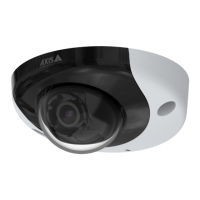
AXISP3935-LRNetworkCamera
Configureyourdevice
Createarule:
1.GotoSystem>Eventsandaddarule.
2.Typeanamefortherule.
3.Inthelistofactions,underOverlaytext,selectUseoverlaytext.
4.Selectavideochannel.
5.InText,type“Motiondetected”.
6.Settheduration.
7.ClickSave.
Note
Ifyouupdatetheoverlaytextitwillbeautomaticallyupdatedonallvideostreamsdynamically.
Directthecameratoapresetpositionwhenthecameradetectsmotion
Thisexampleexplainshowtosetupthecameratogotoapresetpositionwhenitdetectsmotionintheimage.
1.Starttheapplicationifitisnotalreadyrunning.
2.Makesureyouhavesetuptheapplicationaccordingtoyourneeds.
Addapresetposition:
GotoPTZandsetwhereyouwantthecameratobedirectedbycreatingapresetposition.
Createarule:
1.GotoSystem>Eventsandaddarule.
2.Typeanamefortherule.
3.Inthelistofactions,selectGotopresetposition.
4.Selectthepresetpositionyouwantthecameratogoto.
5.ClickSave.
Recordvideowhenthecameradetectsimpact
Shockdetectionallowsthecameratodetecttamperingcausedbyvibrationsorshock.Vibrationsduetotheenvironmentortoan
objectcantriggeranactiondependingontheshocksensitivityrange,whichcanbesetfrom0to100.Inthisscenario,someoneis
throwingrocksatthecameraafterhoursandyouwouldliketogetavideoclipoftheevent.
Turnonshockdetection:
1.GotoSystem>Detectors>Shockdetection.
2.Turnonshockdetection,andsetavaluefortheshocksensitivity.
Createarule:
3.GotoSystem>Events>Rulesandaddarule.
4.Typeanamefortherule.
5.Inthelistofconditions,underDevicestatus,selectShockdetected.
6.Click+toaddasecondcondition.
14


 To Next Page