Need help?
Do you have a question about the Axis P3905-R and is the answer not in the manual?
Explains DANGER, WARNING, CAUTION, NOTICE levels for safety.
Defines 'Important' and 'Note' message levels for product information.
Guides on accessing the product via a web browser interface.
Explains how to make the product accessible over the internet.
Outlines the essential initial setup steps for the product.
Explains H.264 video compression benefits and protocols.
Details the Motion JPEG video stream format and its usage.
Information on using AXIS Media Control for video access.
Guides on configuring video stream parameters like resolution and compression.
Covers basic image adjustments like resolution, compression, mirror, and rotate.
Adding text overlays like timestamps or custom strings to video streams.
Methods for creating privacy masks to obscure parts of the video feed.
Specifies default viewers for different browsers accessing the live view.
Customizing viewer options like toolbars and PTZ joystick mode.
Saving and recalling specific camera positions using preset positions.
Configures the default camera position for easy return.
Describes focus window settings for manual focus control.
Configuring the camera to detect tampering events.
Setting up action rules to respond to camera tampering.
Details on obtaining and installing licenses for applications.
Steps to install, start, and configure applications.
Step-by-step process for creating rules to trigger actions based on events.
Lists various triggers and conditions that can initiate action rules.
Details the different actions the product can perform when triggered.
How to locate and filter stored video recordings.
Instructions on how to play back recorded video clips.
How to export parts of recordings as video files.
Configuring the device for continuous video recording to storage.
Managing user accounts, passwords, and access levels.
Configuring IP address filtering for security and access control.
Configuring device date, time, and time zone synchronization.
Covers IPv4/IPv6 address setup and DHCP.
Method to assign IP addresses using ARP/Ping utility.
Configuring DNS servers, NTP servers, and host names.
Details on supported SD card types and file systems.
Procedures for safely handling SD cards.
Steps to format SD cards for use with the product.
Securing recorded data by encrypting the SD card content.
Adding and configuring network storage (NAS) for recordings.
Viewing the status of the product's input and output ports.
Performing restarts and resetting product settings to factory defaults.
Accessing support resources and contact information.
Step-by-step guide for upgrading the product's firmware.
Steps to recover the product from failed firmware upgrades.
Diagnosing and resolving issues related to IP address assignment.
Troubleshooting issues with logging in and accessing the product via a browser.
Common problems and solutions related to H.264 video streaming.
Diagnosing issues indicated by LED status lights and startup failures.
Addressing problems with image quality and focus.
Resolving issues related to storage disruption and SD card errors.
Detailed explanation of the status and network LED indicators.
Information regarding the product's SD card slot.
Description of the control button's functions.
Description of the available network connectors.
Factors affecting product performance and frame rate.
 General
| Type | IP security camera |
|---|---|
| PTZ control | Yes |
| Placement supported | - |
| Connectivity technology | Wired |
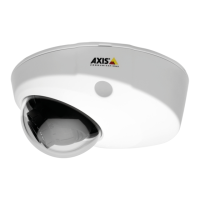
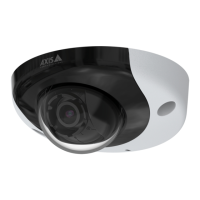
| Form factor | Dome |
| Product color | White |
| Housing material | Aluminum |
| Maximum resolution | 1920 x 1080 pixels |
| Supported video modes | 1080p |
| Video formats supported | AVC, H.264, M-JPEG, MPEG4 |
| Pan range | -30 - 30 ° |
| Tilt angle range | 15 - 90 ° |
| Angle of rotation | 175 ° |
| Minimum illumination | 0.2 lx |
| Sensor type | CMOS |
| Optical sensor size | 1/2.8 \ |
| Optical zoom | - x |
| Flash memory | 128 MB |
| Compatible memory cards | MicroSD (TransFlash), MicroSDHC, MicroSDXC |
| Maximum memory card size | 64 GB |
| Ethernet LAN | No |
| Supported network protocols | IPv4/v6, HTTP , HTTPS a , SSL/TLS a , QoS Layer 3 DiffServ , FTP , CIFS/SMB, SMTP , Bonjour , UPnP™, SNMP v1/v2c/v3(MIB - II), DNS, DynDNS, NTP , RTSP , RTP , T CP , UDP , IGMP , RT CP , ICMP , DHCP , ARP , SOCKS, SSH |
| Power source type | PoE |
| AC input frequency | 50 - 60 Hz |
| Operating temperature (T-T) | -30 - 60 °C |
| Operating relative humidity (H-H) | 10 - 95 % |

 To Next Page