AXISP7304VideoEncoder
Thedeviceinterface
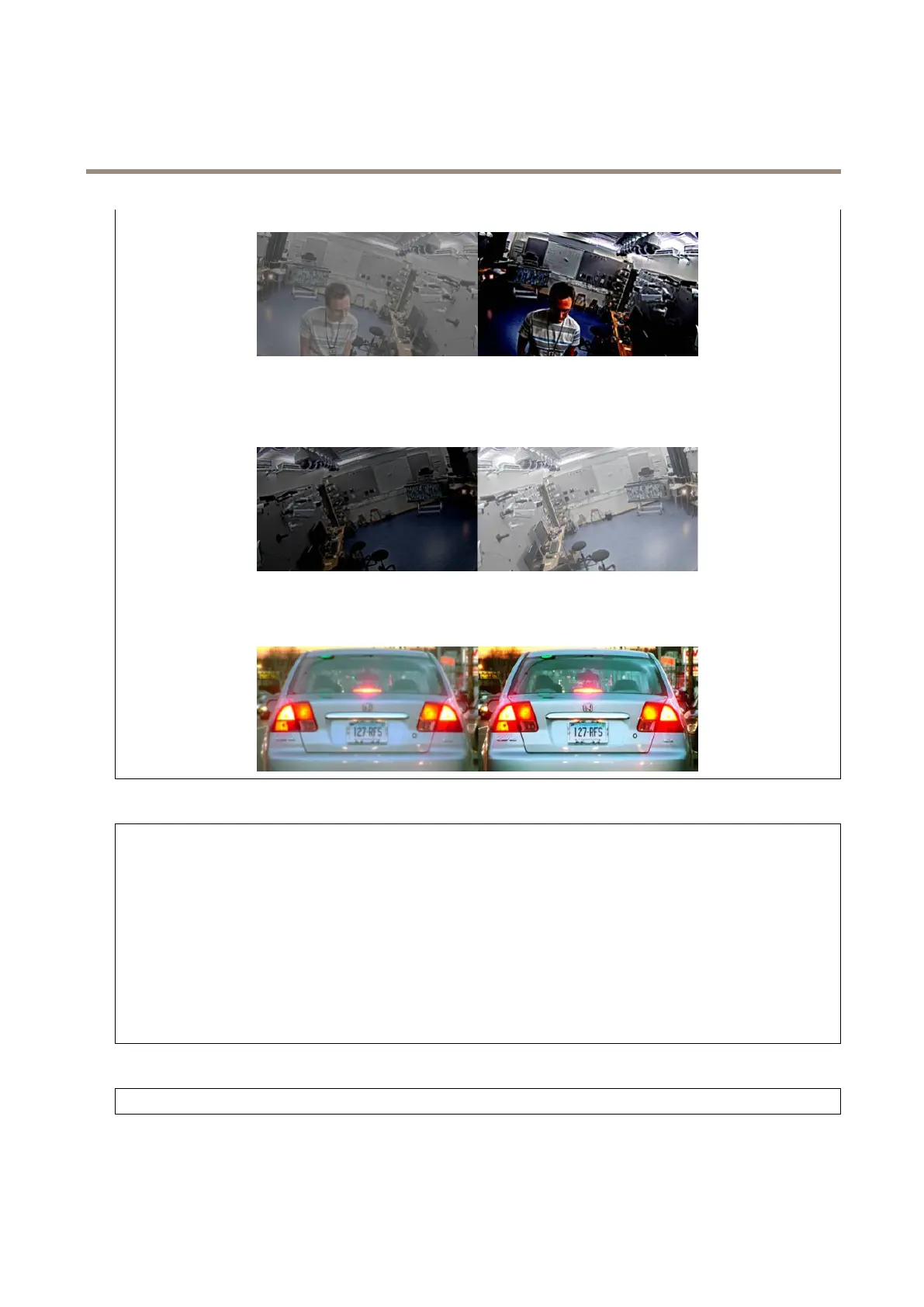
Brightness:Usetheslidertoadjustthelightintensity.Thiscanmakeobjectseasiertosee.Brightnessisappliedafterimage
capture,anddoesn’taffecttheinformationintheimage.Togetmoredetailsfromadarkarea,it’susuallybettertoincrease
gainorexposuretime.
Sharpness:Usetheslidertomakeobjectsintheimageappearsharperbyadjustingtheedgecontrast.Ifyouincreasethe
sharpness,itmayincreasethebitrateandtheamountofstoragespaceneededaswell.
Videoinput
Deinterlacing:Selectamethodtoimprovethevideostreamimagequalityfromanalogdevices.
•None:Nodeinterlacing.
•Blending:Improvestheimagequalitywithoutputtingtoomuchloadontheprocessor.
•Adaptiveinterpolation:Appliesdifferentlterstotheimage.Caninrarecasesgivebetterresultsthan
motion-adaptiveinterpolation.
•Motion-adaptiveinterpolation:Appliesdifferentlterstodifferentpartsofthevideostreamimage,dependingon
thelevelofmotionindifferentpartsofthescene.Thisoptionusuallygivesthebestimagequality.
Videotermination:Turnoffwhenthedeviceisconnectedalongsideotherequipment.Ifyouleavevideoterminationon,itcan
affecttheimagequality.Werecommendyoutoonlykeepvideoterminationturnedonforthelastdeviceinthevideosignalchain.
Xoffset:Enteravaluetohorizontallyadjusttheorientationoftheimage.
Yoffset:Enteravaluetoverticallyadjusttheorientationoftheimage.
General
Name:Enteranamefortheselectedcamera.
16



 To Next Page