AXISQ16NetworkCameraSeries
Configureyourdevice
•GotoVideo>Stream>ZipstreamandselectOff.
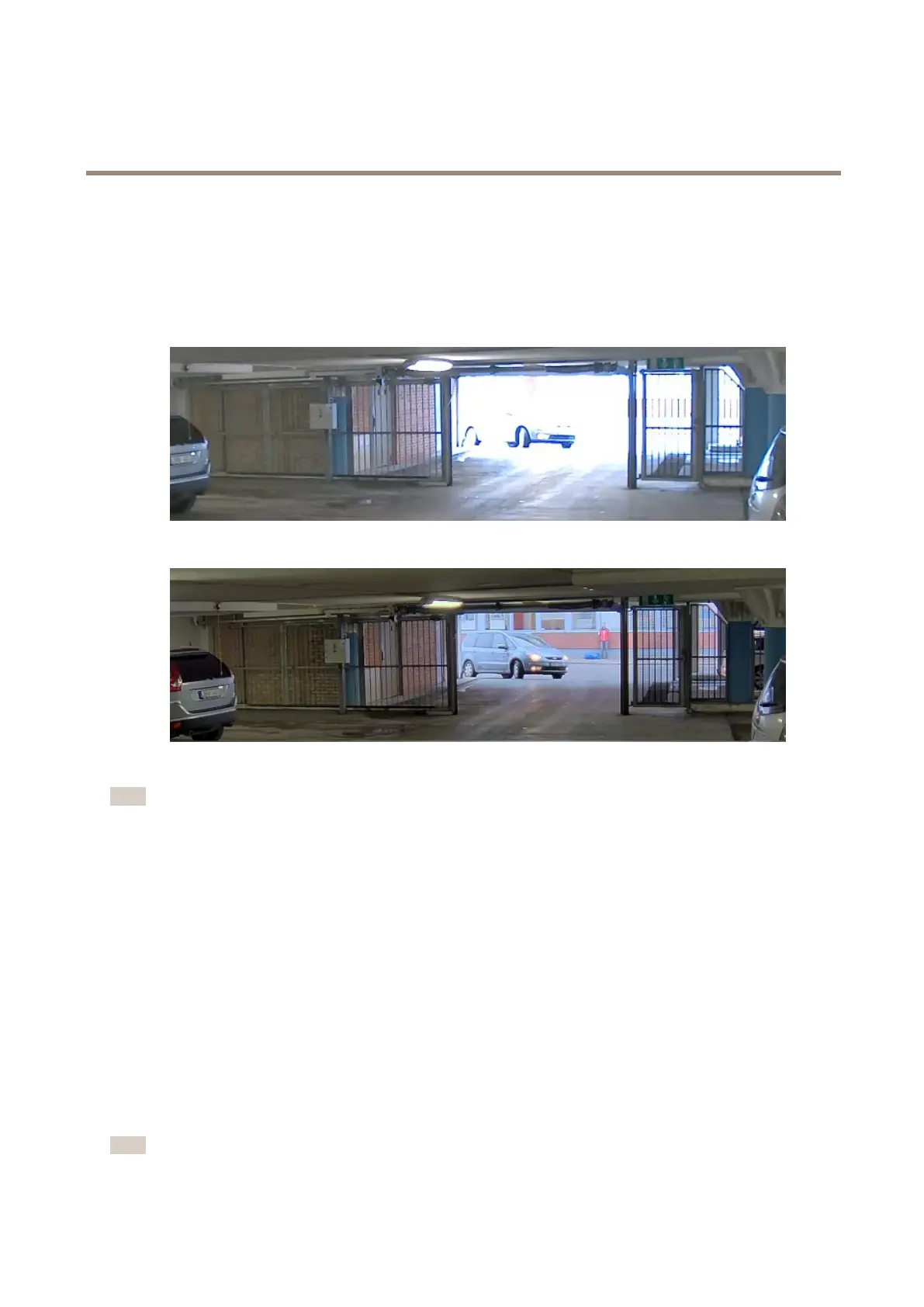
Handlesceneswithstrongbacklight
Dynamicrangeisthedifferenceinlightlevelsinanimage.Insomecasesthedifferencebetweenthedarkestandthebrightest
areascanbesignicant.Theresultisoftenanimagewhereeitherthedarkorthebrightareasarevisible.Widedynamicrange
(WDR)makesbothdarkandbrightareasoftheimagevisible.
ImagewithoutWDR.
ImagewithWDR.
Note
•WDRcancauseartifactsintheimage.
•WDRmaynotbeavailableforallcapturemodes.
1.GotoVideo>Image>Widedynamicrange.
2.TurnonWDR.
3.UsetheLocalcontrastslidertoadjusttheamountofWDR.
4.Ifyoustillhaveproblems,gotoExposureandadjusttheExposurezonetocovertheareaofinterest.
FindoutmoreaboutWDRandhowtouseitataxis.com/web-articles/wdr.
Stabilizeashakyimagewithelectronicimagestabilization(EIS)
ElectronicImageStabilization(EIS)canbeusedinenvironmentswheretheproductismountedinanexposedlocationandsubjectto
vibrations,forexample,windorpassingtrafc.
EISmakestheimagesmoother,steadierandlessblurry.Italsoreducesthelesizeofthecompressedimageandlowersthe
bitrateofthevideostream.
Note
TheimageiscroppedslightlywhenEISisenabled,loweringthemaximumresolution.
9



 To Next Page