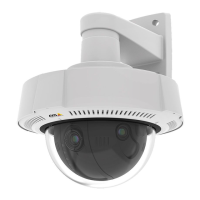
AXISQ36DomeCameraSeries
Thedeviceinterface
Custom-signedrmwarecerticate
ToinstalltestrmwareorothercustomrmwarefromAxisonthedevice,youneedacustom-signedrmwarecerticate.The
certicateveriesthatthermwareisapprovedbyboththedeviceownerandAxis.Thermwarecanonlyrunonaspecic
devicewhichisidentiedbyitsuniqueserialnumberandchipID.Custom-signedrmwarecerticatescanonlybecreated
byAxis,sinceAxisholdsthekeytosignthem.
ClickInstalltoinstallthecerticate.Youneedtoinstallthecerticatebeforeyouinstallthermware.
Users
Adduser:Clicktoaddanewuser.Youcanaddupto100users.
Username:Enterauniqueusername.
Newpassword:Enterapasswordfortheuser.Passwordsmustbe1to64characterslong.OnlyASCIIprintablecharacters(code
32to126)areallowedinthepassword,forexampleletters,numbers,punctuation,andsomesymbols.
Repeatpassword:Enterthesamepasswordagain.
Role:
•Administrator:Hasfullaccesstoallsettings.Administratorscanalsoadd,update,andremoveotherusers.
•Operator:Hasaccesstoallsettingsexcept:
-AllSystemsettings.
-Addingapps.
•Viewer:Hasaccessto:
-Watchandtakesnapshotsofavideostream.
-Watchandexportrecordings.
-WithPTZuseraccess:pan,tilt,andzoom.
Thecontextmenucontains:
Updateuser:Edittheuser’sproperties.
Deleteuser:Deletetheuser.Youcan’tdeletetherootuser.
Anonymoususers
Allowanonymousviewers:Turnontoallowanyonetoaccessthedeviceasaviewerwithouthavingtologinwithauseraccount.
AllowanonymousPTZoperators:Turnontoallowanonymoususerstopan,tilt,andzoomtheimage.
Events
Rules
38



 To Next Page