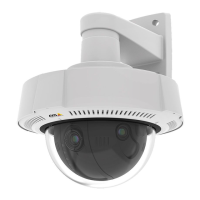
AXISQ36DomeCameraSeries
Learnmore
Theimageshowshowtheeldofviewandaspectratiocanchangebetweentwodifferentcapturemodes.
Whatcapturemodetochoosedependsontherequirementsfortheframerateandresolutionofthespecicsurveillancesetup.For
specicationsaboutavailablecapturemodes,seetheproduct’sdatasheetataxis.com.
Remotefocusandzoom
Theremotefocusandzoomfunctionalityallowsyoutomakefocusandzoomadjustmentstoyourcamerafromacomputer.Itisa
convenientwaytoensurethatthescene’sfocus,viewingangleandresolutionareoptimizedwithouthavingtovisitthecamera’s
installationlocation.
Privacymasks
Aprivacymaskisauser-denedareathatcoversapartofthemonitoredarea.Inthevideostream,privacymasksappeareitheras
blocksofsolidcolororwithamosaicpattern.
You’llseetheprivacymaskonallsnapshots,recordedvideo,andlivestreams.
YoucanusetheVAPIX®applicationprogramminginterface(API)tohidetheprivacymasks.
Important
Ifyouusemultipleprivacymasksitmayaffecttheproduct’sperformance.
Youcancreateseveralprivacymasks.Themaximumnumberofmasksdependsonthecomplexityofallthemaskscombined.The
moreanchorpointsineachmask,thefewermasksyoucancreate.Eachmaskcanhave3to10anchorpoints.
54



 To Next Page