AXISQ87BispectralPTZNetworkCameraSeries
Setup
1.Disconnectpowerfromtheproduct.
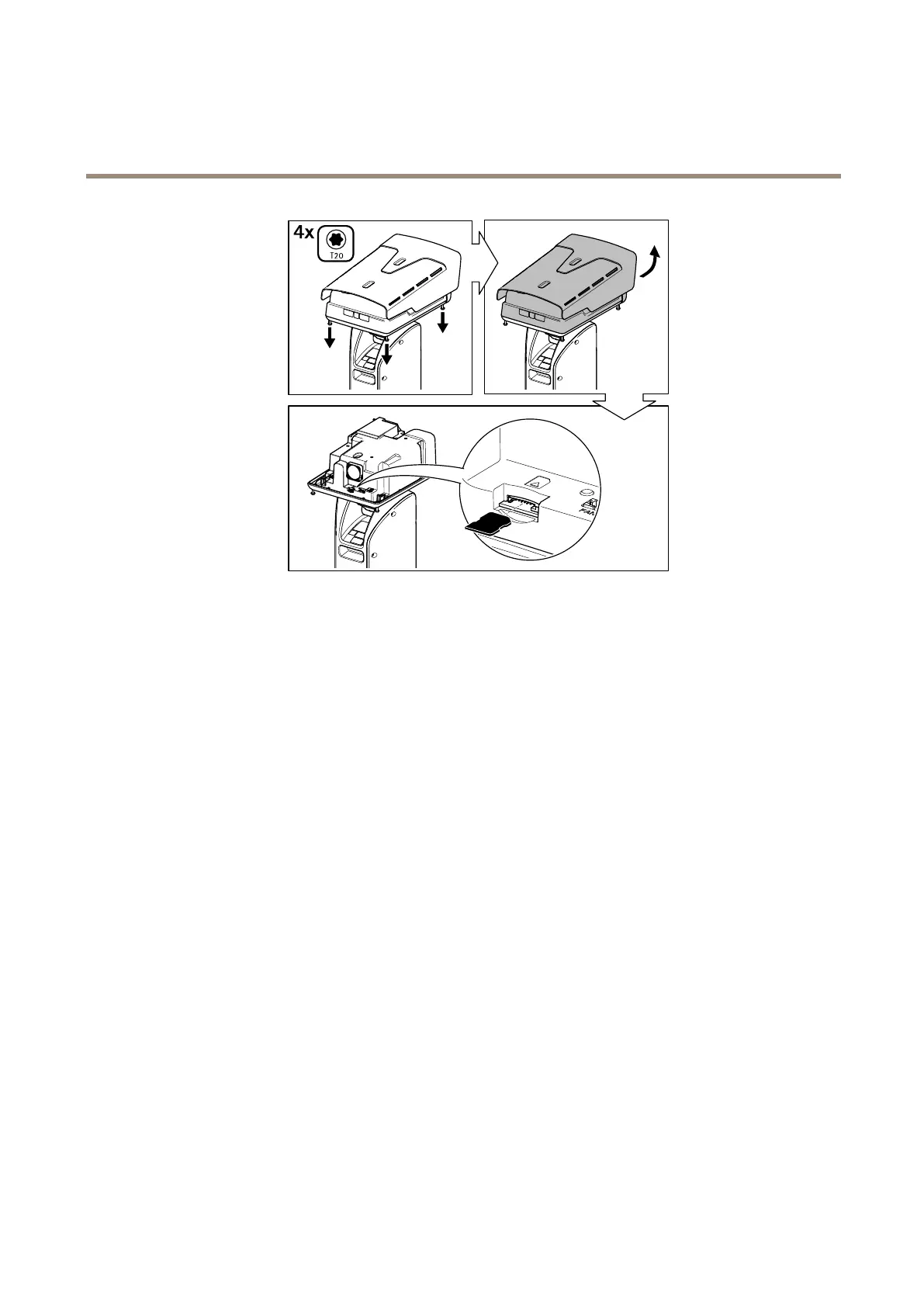
2.Unscrewthefourtopcoverscrewsandremovethetopcover.
3.InsertanSDcardintotheSDcardslot,seeConnectorsonpage19.
4.Replacethetopcoverandtightenthescrews(torque2.0Nm).
5.Re-connectpowertotheproduct.
14



 To Next Page