EasyManua.ls Logo

Axis Q8721-E - User Manual

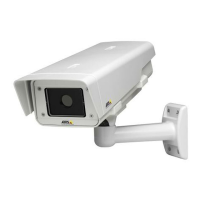
Axis Q8721-E
104 pages
Print Icon
To Next Page IconTo Next Page
Loading...
INSTALLATION GUIDE
ENGLISH
AXIS Q87-E Dual PTZ Network Camera Series
AXIS Q8721-E Dual PTZ Network Camera
AXIS Q8722-E Dual PTZ Network Camera

Table of Contents

Questions and Answers

  • S
    Susan BlairAug 10, 2025
    What to do if the illuminators are not turning on when day changes into night in my Axis Q8721-E Security Camera?
    • T
      tammybrooksAug 11, 2025
      If your Axis Security Camera's illuminators aren't activating as day turns to night, first, ensure that all connections are properly established. Then, verify that the day/night sensor is correctly positioned to monitor daylight changes.
  • J
    Jennifer HamiltonAug 20, 2025
    What to do if my Axis Security Camera moves, but is unresponsive to commands?
    • C
      Cassandra StricklandAug 20, 2025
      If your Axis Security Camera moves but doesn't respond to commands, verify that the PTZ functionality is enabled. Also, check that the RS-485 cable is intact and correctly connected.
  • M
    Mr. David TaylorAug 31, 2025
    What to do if my Axis Q8721-E does not move?
    • B
      Brian DuncanAug 31, 2025
      If your Axis Security Camera does not move, make sure that the power supply cable is intact and connected correctly. The pan/tilt is disabled during the de-icing process.

Axis Q8721-E Specifications

General IconGeneral
ModelAxis Q8721-E
EnvironmentOutdoor
Frame RateUp to 30 fps
Sensor TypeCMOS
Lens TypeVarifocal
Day/NightYes
CompressionH.264, H.265, Motion JPEG
Pelco D ProtocolYes
TypePTZ Network Camera
Resolution4K (3840 x 2160)
Sensor Size1/2.8"
ApertureF1.5
Pan Range360°
Tilt Range± 90°
Ethernet Ports1
Power SupplyPoE
Operating Temperature-40 °C to 50 °C
Operating ConditionsIndoor/Outdoor
Ingress ProtectionIP66

Related product manuals