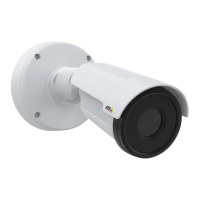
XF40-Q2901Explosion-ProtectedTemperatureAlarmCamera
Howtosetuptheproduct
Howtosetuptheproduct
TheAxisproductcanbeconguredbyuserswithadministratororoperatorrights.Toopentheproduct’ssetuppages,clickSetupin
thetopright-handcorneroftheliveviewwindow.
•Administratorshaveunrestrictedaccesstoallsettings.
•Operatorshaverestrictedaccesstosettings,seeUsersonpage42
Seealsotheonlinehelp
.
Howtoperformabasicsetup
BasicSetupprovidesshortcutstothesettingsthatshouldbemadebeforeusingtheAxisproduct:
1.Users.Seepage42.
2.TCP/IP.Seepage45.
3.Date&Time.Seepage44.
4.VideoStream.Seepage16.
TheBasicSetupmenucanbedisabledfromSystemOptions>Security>Users.
15


 To Next Page