
 Need help?
Do you have a question about the Axon Signal Sidearm and is the answer not in the manual?
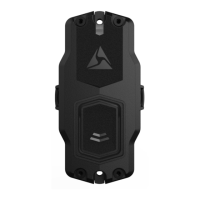
Defines the Axon Signal Sidearm sensor and its purpose.
Describes methods for registering and assigning sensors to users.
Details using the ADM app for device registration and assignment.
Explains manual registration and assignment via Axon Evidence.com.
Details the process for updating device firmware using ADM.
Instructions for uploading device logs for troubleshooting.
Describes the different operating modes of the Signal Sidearm sensor.
Explains how to exit the sensor's Low Power Mode.
How to use Mute Mode to prevent alerts.
Detailed steps for replacing the sensor's battery.
Guide to calibrating the sensor and using Test Mode.
Explains how to use and what happens in Field Mode.
How to use Mute Mode to prevent alerts during maintenance.
Steps to reset the sensor to factory settings.
Covers general troubleshooting for common issues.
Information on Axon Enterprise warranty provisions.
Safety warnings for installation and operation.
Details transmission frequency range and RF exposure.
States compliance with EU directives.
Displays various compliance certifications and marks.
 General
| Category | Accessories |
|---|---|
| Connectivity | Bluetooth |
| Compatibility | Axon body cameras and other law enforcement equipment |
| Activation | Automatically activates when a firearm is removed from the holster |
| Mounting | Attaches to most holsters |

 To Next Page
