Chapter 2: Registration, Assignment, and Operation 8
Axon Signal Sidearm User Manual
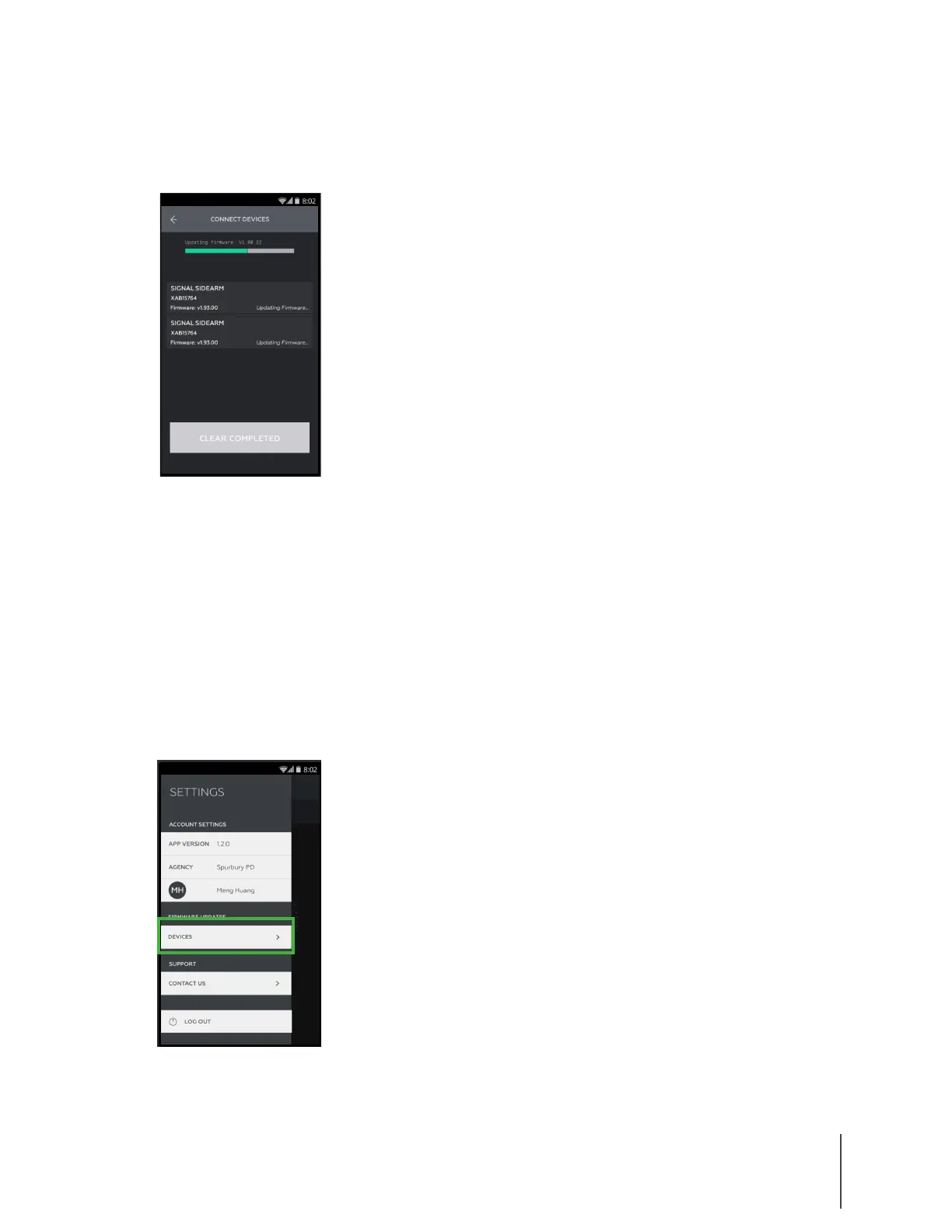
8 Repeat steps 6 and 7 with other signal sidearm units to update the firmware for multiple
devices at one time. If multiple devices are being updated, there is still only one progress
bar, as shown in Figure 11. We recommend updating no more than 5 units at one time.
9 When the firmware update is complete, the Sidearm unit will reboot and automatically
unpair from the phone
Upload Sensor Logs to Axon
If a sensor is not functioning properly, Axon may ask you to upload the device’s internal logs.
1 Open the ADM app.
2 Log in to your agency’s Axon Evidence.com account.
3 In ADM, tap the Settings menu in the upper left.
4 Under Firmware Updates, tap Devices, as shown in Figure 12.
Figure 12
Figure 11


 To Next Page
 Loading...