Chapter 2: Registration, Assignment, and Operation 3
Axon Signal Sidearm User Manual
Note: The NFC reader is typically located on the back of phones. Refer the manufacturer’s
guide for your device to determine the location of its NFC reader.
4 Once ADM finds the sensor:
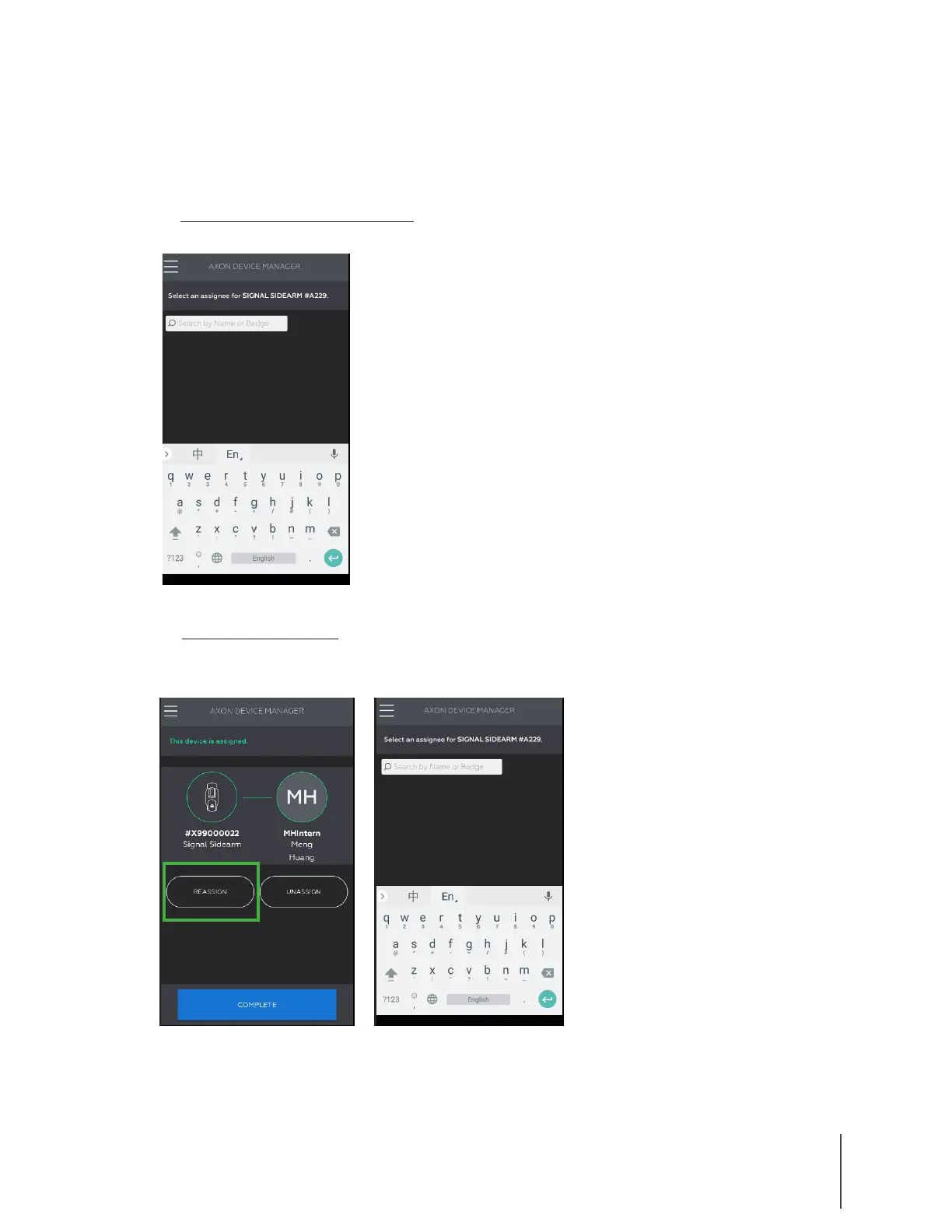
A. To register and assign a sensor: Enter the name or badge number of the person you want
to assign the sensor to and then tap enter, as shown in Figure 2.
B. To reassign a sensor: Tap Reassign, enter the name or badge number of the person you
want to assign the sensor to, and then tap enter, as shown in Figures 3 and 4.
The Signal Sidearm sensor is assigned and information is updated in Axon Evidence.com.
5 Tap Complete to exit or begin scanning another sensor.
Figure 2
Figure 3 Figure 4


 To Next Page
 Loading...