
 Need help?
Do you have a question about the Axon TASER 10 VR and is the answer not in the manual?
Provides critical safety information for VR use, emphasizing it's for training only.
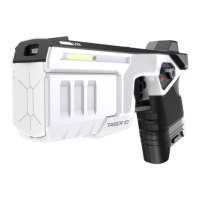
Covers the controller's main components and the function of the selector switch.
Explains Sidelight LED status meanings and proper VR magazine usage.
Details trigger operation, holster tracking, and the controller's sleep mode.
Covers the USB port, App button functions, and the process for pairing the controller.
Explains how to access the headset menu and additional ways to activate sleep mode.
Guidance on safe storage and step-by-step instructions for battery pack removal.
Details correct battery installation and essential charging procedures, including initial charge.
Explains the dock's 90-day capacity check process to maintain battery health.
Guides users on how to manually check and install firmware updates for the VR headset.
Addresses common problems like aim point drifting, LED status, and visibility in headset settings.
Explains how firmware updates are applied wirelessly via the VR headset.
Provides general advice on handling the sensitive equipment and precautions for water exposure.
Lists contact information for support and procedures for product returns.
Details FCC, ISED Canada compliance, and RF exposure limits.
 General
| Brand | Axon |
|---|---|
| Model | TASER 10 VR |
| Category | Controller |
| Language | English |

 To Next Page