EasyManua.ls Logo

Axxera AVM10BH - User Manual

Axxera AVM10BH
32 pages
Print Icon
To Next Page IconTo Next Page
Loading...
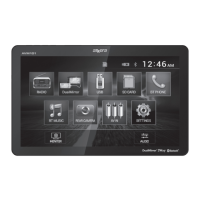
INSTALLATION/OWNER’S MANUAL
DVD Multimedia Receiver with Bluetooth
featuring a 10.1" Touch Screen Display
AVM10BH
The DVD video display of the in-dash unit will not operate while the vehicle is moving. This is a safety feature
to prevent driver distraction. In-dash DVD video functions will only operate when vehicle is in Park and the
parking brake is engaged. It is illegal in most states for the driver to view video while the vehicle is in motion.
Safety Notes:

Questions and Answers

  • L
    Larry CarterAug 15, 2025
    How to fix an Axxera Car Video System that will not turn on?
    • R
      Robert AdamsAug 15, 2025
      If your Axxera Car Video System unit won't turn on, there could be several reasons: * The yellow or red wire might not be connected properly, or the voltage is incorrect. Ensure these connections have the correct voltage (11~16VDC). * The black wire may not be connected. Check that it's properly connected to ground. * The fuse might be blown. If so, replace it with a new one.
  • H
    howardjeremyAug 18, 2025
    What to do if my Axxera Car Video System has power but no sound?
    • D
      Don BriggsAug 19, 2025
      If your Axxera Car Video System unit has power but no sound, it might be due to these reasons: * The speaker wires might not be connected. Check the connections at the speakers to ensure they are properly attached. * One or more speaker wires might be touching each other or the chassis ground. Make sure to insulate all bare speaker wires from each other and the chassis ground to prevent this.
  • S
    Shirley HuffAug 22, 2025
    Why does my Axxera Car Video System keep blowing fuses?
    • P
      Patrick DavisAug 22, 2025
      If your Axxera Car Video System keeps blowing fuses, it could be due to the following: * The yellow or red wire might be touching the chassis ground. Check for any pinched wires that could be causing this. * The speaker wires might be touching the chassis ground. Inspect for pinched wires. * The fuse rating might be incorrect. Ensure you are using fuses with the correct rating.
  • T
    Thomas MooreAug 25, 2025
    What to do if my Axxera Car Video System has audio but no video?
    • S
      Sandra WrightAug 26, 2025
      If your Axxera Car Video System has audio but no video, it could be due to: The parking brake safety circuit not being connected or the parking brake not being applied. Check the connections at the parking brake and apply the parking brake as described.
  • C
    Carol HerreraAug 28, 2025
    Why is there no video display when my Axxera Car Video System is in reverse?
    • M
      Michael ChungAug 28, 2025
      If there is no video display when the Axxera Car Video System is in reverse, the possible causes are: * The reverse circuit is not connected. * The vehicle is not in reverse. Check the connections at the reverse lamp and select reverse gear.
  • J
    juliarodriguezSep 1, 2025
    How to fix an Axxera Car Video System IR remote that does not work?
    • R
      Robert CobbSep 1, 2025
      If your Axxera Car Video System's IR remote does not work, the battery might be dead. Try replacing it with a new one.
  • J
    Jodi WoodSep 4, 2025
    What to do if my Axxera Car Video System DVD does not start playback?
    • D
      Denise FletcherSep 4, 2025
      If the Axxera Car Video System DVD does not start playback, it might be due to: * A physical defect in the media. * The disc being the wrong region. Check the disc for scratches and use discs labeled "Region 1" or "All" only.
  • J
    johnrobinsonSep 7, 2025
    Why does my Axxera Car Video System have excessive skipping?
    • M
      Michael WalkerSep 7, 2025
      If your Axxera Car Video System experiences excessive skipping, it could be due to: * The unit not being mounted correctly. Check the mounting sleeve to ensure it is properly installed. * A physical defect in the media. Inspect the disc for any scratches or damage.
  • D
    David PattersonSep 12, 2025
    What does 'Disc Region Incorrect' mean on my Axxera Car Video System?
    • M
      Matthew BrewerSep 12, 2025
      The 'Disc Region Incorrect' message on your Axxera Car Video System display indicates a region code error. Use discs labeled "Region 1" or "All" only.

Summary

Safety Warnings

General Safety and Compliance

FCC Compliance

Details FCC compliance rules and information on radio frequency interference.

Installation Preparation Guide

Wiring Diagram and Input;Output Notes

Control Locations and Interface Overview

Remote Control Setup and Battery

General Operation and Basic Controls

Monitor Installation and Basic Controls

Steps for installing the monitor and using basic controls like power, source, and volume.

Menu Navigation and Settings

Accessing the main menu, adjusting screen angle, standby mode, and clock configuration.

Audio Settings and System Reset

How to reset the unit and adjust audio parameters like EQ, loudness, bass, treble, and balance.

Setup Menu and Customization Options

Configuring language, sound, screen saver, touch panel calibration, and steering wheel controls.

Advanced Settings and Feature Configuration

Detailed settings for Bluetooth, ASP, media preferences, color, and display.

AM;FM Tuner Operation

Tuner Interface and Display Information

Understanding the tuner screen, mode indicators, and frequency information displays.

Frequency Tuning and Audio Muting

Instructions for tuning radio frequencies up and down, and using the mute function.

Setup Access and Preset Station Management

Accessing setup menus and managing preset radio stations for quick selection.

Tuner Features and Band Selection

Using local/distance tuning, loudness, auto-store, preset scan, and band selection.

CD;USB;SD Card Media Playback

Media Playback Overview and Controls

Playing audio and JPG files from discs, USB drives, and SD cards with basic controls.

Playback Navigation and Options

Using controls for track lists, scrolling, mute, and accessing audio setup menus.

Advanced Media Playback Commands

Detailed controls for folder navigation, track access, playback modes, and time indicators.

Media Compatibility (USB;SD Card)

Media Compatibility (CD;DVD)

Media Compatibility Details and Notes

DVD Operation and Disc Handling

Disc Insertion, Ejection, and Interface

Instructions for inserting/ejecting discs and overview of the DVD touchscreen control areas.

DVD Playback Navigation Controls

Details on specific DVD playback functions like fast forward, reverse, and chapter selection.

Advanced DVD Playback Functions

Detailed controls for DVD playback, including zoom, speed adjustments, and chapter navigation.

DVD Playback Settings and Menu Access

Managing playback, screen angle, volume, and accessing disc menus like title, root, subtitle, and audio.

DualMirror Operation - Android Devices

Connecting Android Devices for Screen Mirroring

Steps and requirements for connecting Android smartphones for screen mirroring via HDMI/USB.

DualMirror Operation - iOS Devices

Connecting iOS Devices and Required Cables

Instructions for connecting iPhone, iPod, iPad devices and details on required cables for mirroring.

Bluetooth Operation and Pairing Procedures

Bluetooth Setup and Basic Functionality

Enabling/disabling Bluetooth, auto-connect, and auto-answer features for seamless pairing.

Device Pairing and Management Options

Procedures for pairing new devices, disconnecting, and deleting paired Bluetooth devices.

Bluetooth Call and Audio Management

Using the phone keypad, managing calls, transferring audio, and accessing call lists.

Auxiliary Inputs (AV1 & AV2) Usage

Connecting and Using AV1 Input

Connecting and using audio/video sources via the front 3.5mm input for AV1.

Connecting and Using AV2 Input

Connecting and using audio/video sources via the rear RCA connectors for AV2.

Rear Camera Operation and Installation

Connecting and Configuring Rear Camera

Connecting an optional rear camera and its manual/automatic selection and image reversal.

Limited One Year Warranty Information

Technical Specifications

Troubleshooting Common Issues

Axxera AVM10BH Specifications

General IconGeneral
BrandAxxera
ModelAVM10BH
CategoryCar Video System
LanguageEnglish

Related product manuals