25
Bluetooth Operation
Before you can use a Bluetooth device, it must be paired and
connected. Make sure that Bluetooth is activated on your
device before you begin the pairing process.
The AVM10BH broadcasts the pairing signal constantly when
no devices are currently connected. Complete the pairing
sequence from your Bluetooth device. Refer to the owner's
manual for your device for more details.
The device name is "Dual BT"
Note: The AVM10BH can be in any mode of operation when
pairing is performed.
To disconnect a device, enter the Bluetooth setup menu and
select Device List. Use the desired up and down arrows to
scroll through the list of devices. Press desired device name,
then press "Disconnect" to connect the device.
To permanently delete a device, enter the Bluetooth setup
menu and select Device List. Use the desired up and down
arrows to scroll through the list of devices. Press desired
device name, then press "Delete" to connect the device.
Preparation
Pairing a New Device
Disconnecting a
Device
Deleting a
Paired Device
Menu Option Action
Setup
Bluetooth Select ON or OFF to enable or disable Bluetooth functionality.
Auto
Connect
Select ON or to program the unit to automatically pair with available
Bluetooth devices. Select OFF to require manual pairing.
Auto
Answer
Select ON or to program the unit to automatically answer incoming
calls. Select OFF to answer calls manually.
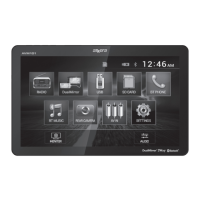
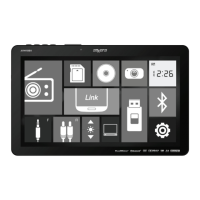
From the Main Menu screen, press Settings to enter the Settings menu. Press Bluetooth to
enter Bluetooth Menu setup.
AVM10BH OPERATION


 To Next Page
 Loading...