20
Inserting a Disc
Ejecting the Disc
Touchscreen Controls
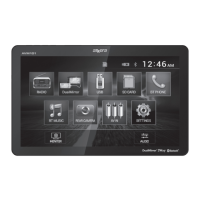
From the main menu screen, press TILT UP until the CD slot is
exposed. Insert disc into the slot, and playback will begin automatically.
Sub-menus may have to be pressed to access the DVD content. Read
the directions of your specific DVD disc for other features.
Press to eject the disc.
In DVD mode, six hidden touchscreen controls enable various
functions during playback. A DVD disc must be inserted to access
these functions and features.
Area A - Displays Main Menu.
Area B - Displays the Video Search screen, enabling the user to
search for a specific spot on the disc by title, chapter or time.
Area C - Selects previous chapter.
Area D - Displays the DVD transport controls.
Area E - Selects next chapter.
Area F - Fast forward at 2x, 4x, 8x or 16x speeds.
Area G - Play/pause DVD playback.
Area H - Fast reverse at 2x, 4x, 8x or 16x speeds.
Note: During DVD playback, use the on-screen DVD transport
controls to perform additional functions.
DVD Operation
AVM10BH OPERATION


 To Next Page
 Loading...