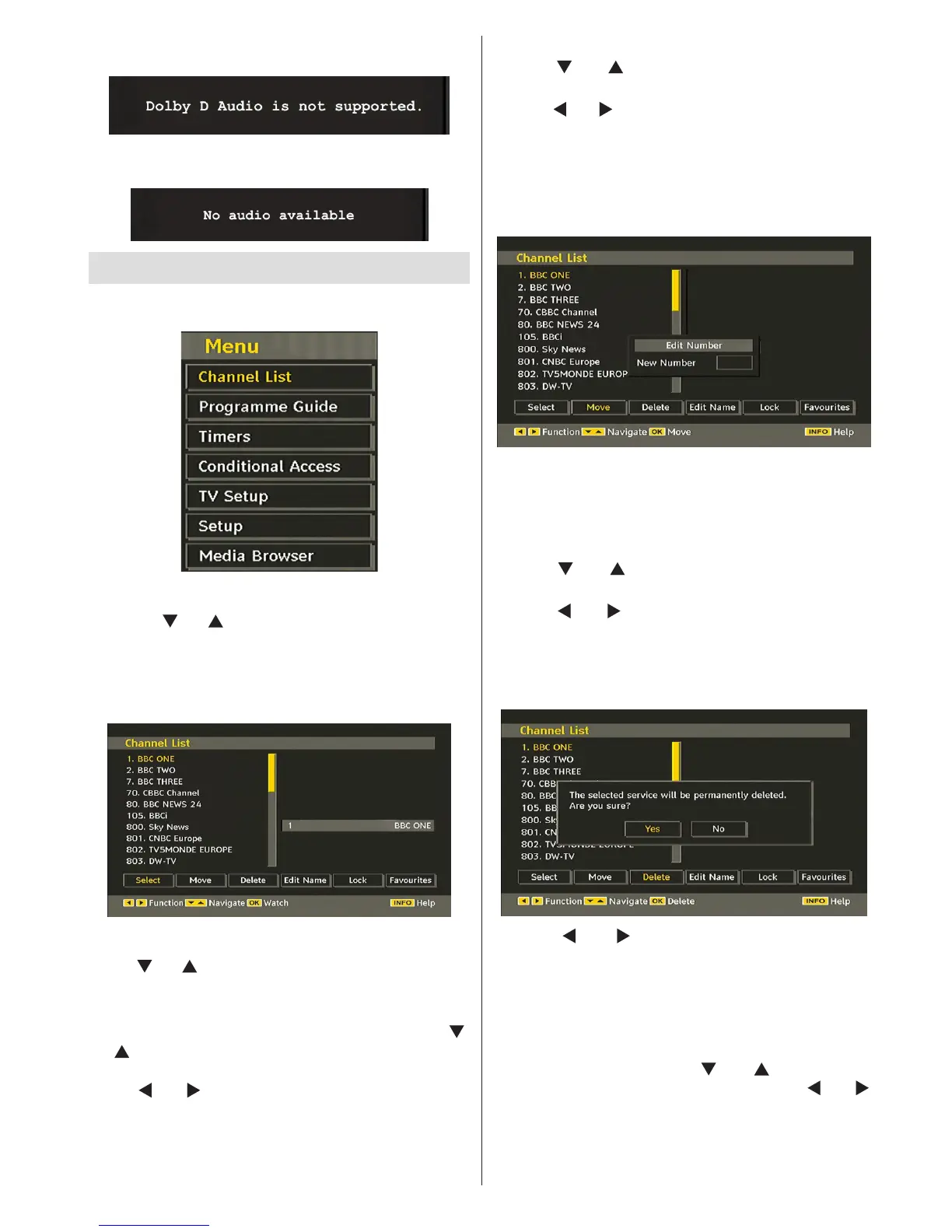
AC3 stream, the following warning message will be
displayed on the screen:
If there is no audio available, the following warning
message will be displayed on the screen:.
IDTV Menu System
Press the “M” button. Main menu will be displayed.
Channel List
Using the “ ” or “ ” button on the remote control, make
sure that the rst item, Channel List, is highlighted and
press the “OK” button to display the Channel List or
you can press the OK button during watching DVB-T
broadcasting and get to the Channel List directly.
Navigating the Entire Channel List
Press “ ” or “ ” button for selecting the previous or next
channel. You can press “RED” or “GREEN” button to
move page up or page down.
To watch a specic channel, highlight it using “
”
or “ ” button and then press “OK” button, while the
“Select” item on Channel List menu is highlighted by
using “ ” or “ ” button.
Then the name and number of the selected channel
will be displayed in the top-left and top-right of
the channel display at the top-right of the screen,
respectively.
Moving the channels in the channel list
• Press “ ” or “ ” buttons to select the channel that
will be moved.
• Press “
” or “ ” buttons to select the “Move” item on
Channel List menu.
Following OSD will be displayed next to “OK” item
to indicate that enter a number by using the numeric
buttons on the remote control and press “OK” to
conrm.
Note: If you enter the same programme number of the channel
that you want to move, “.... channel services will be replaced.
Do you want to continue?” OSD will be displayed. Press OK
to conrm or select “No” to cancel.
Deleting the Channels in the Channel List
• Press “ ” or “ ” button to select the channel that
will be deleted.
• Press “
” or “ ” button to select the “Delete’’ item
on Channel List menu.
• Press the “OK” button to delete the highlighted
channel in the channel list. Then the message below
appears on the screen:
• Press “ ” or “ ” button to highlight the desired
option. If “OK” button is pressed while “Yes” is
highlighted, the highlighted channel is deleted.
Selecting “No” cancels the deletion.
Renaming Channels
To rename a specic channel, the channel must
be highlighted by pressing “ ” or “ ” button. Then
highlight the Edit Name item by pressing “ ” or “ ”
button as illustrated below. Press the “OK” button to
activate the rename feature.


 To Next Page