EN-14
Power level adjustment
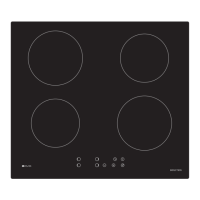
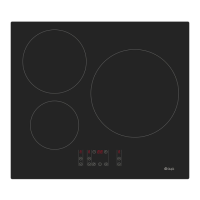
Under the standby mode, press c ooking zone select button to choose
the c orresponding cooking z one, c orresponding cooking zone d igital
tube decimal point “
” and heating level will display. You can press the
plus “
”and minus “ ” buttons to adjust suitable power level.
By holding down either of these buttons, the value on the zone
indicator will adjust up or down. Each pressing “
” button, power level
will a dd o ne, u ntil l evel 9, a nd di splayed o n its corresponding di gital
tube. Each pressing “ ” button, power level will reduce one, until level
0(Each pressing o f “+” o r “ -” b utton, a s hort a udible s ignal w ill b e
heard).Keep pressing “ ”, “ ” buttons will make continuously
increasing or decreasing effect.
Upon c ompletion o f p ower l evel a djustment, t he d ecimal p oint “
”of
digital tube will stop flashing and normally display the power level within
10 seconds of no operation.
When switching any of the cooking zone power level to 0, it will stop the
power output of that cooking zone.
If a cooking zone has been heated,power level of all the cooking zone
are “0”, the appliance will automatically enter into shutdown status
after 1 minute no operation.
Auto-heating function
Your hob can auto-heating following the below steps:
6.1 Turn on automatic heating :Press plus or mimus button to set the power to
level 9,then touch plus button “
” to let the power level alternately display
“ ” and “ ”.At this time, press minus button“ ” to adjust the auto-heating
level you need, such as level 6. In this automatic heating process, the
corresponding power level indicating digital tube is alternately display “ ”
and “ ”. Alternate display time is 2.5 minutes.


 To Next Page