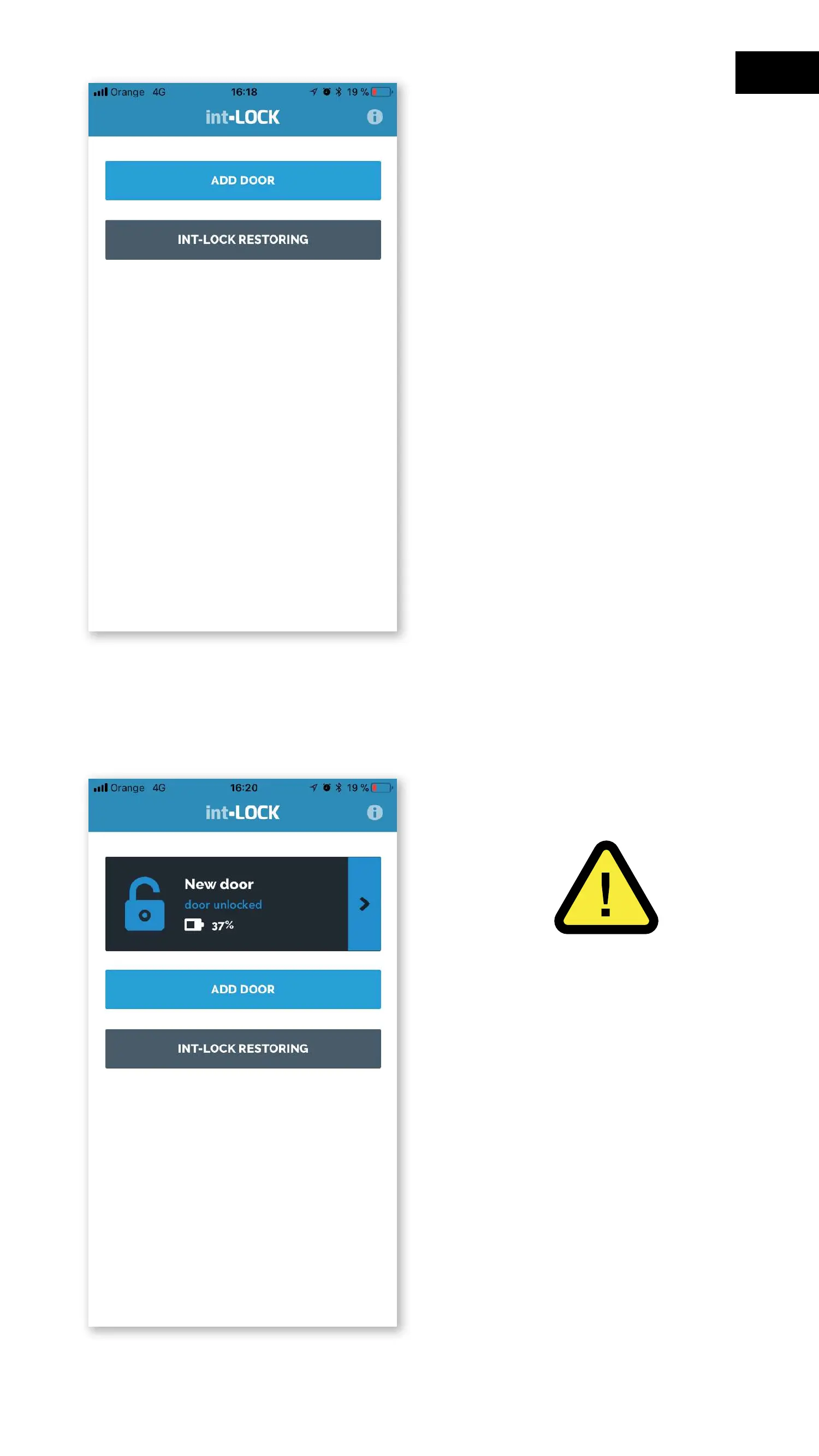
3- On the main screen of the
application press "Add door"
and accept the link request.
4- The new lock will be added
to the App's list of devices and
will be ready for use.
5- Do this operation to link each
of the users.
6- WARNING: The first user
who registers a Smartphone will
be the lock administrator and
will obtain certain privileges to
manage and delete users.
NOTE: The system does not
allow the simultaneous use of
two keys or users connected via
Bluetooth.
45
EN


 To Next Page