4.3. Synchronisation of BT controls
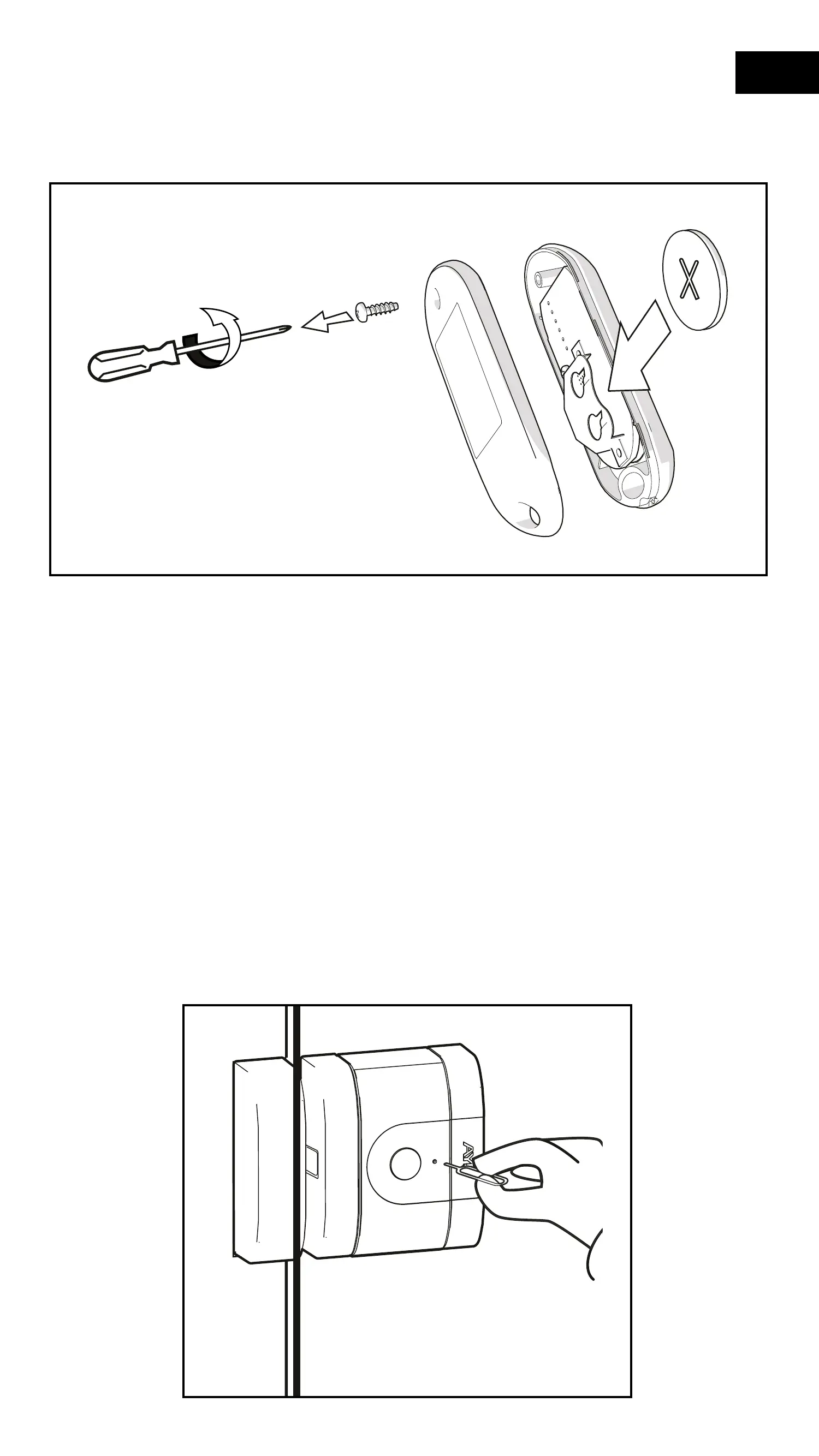
1- Insert the supplied button cell battery inside the remote control.
2- Keep the BT remote control and make sure that the door is clo-
sed and the lock is open.
If the BT remote control is synchronised as the rst device,
it becomes the administrator and therefore the conguration
options are not available. It is very important that the rst de-
vice to be synchronised is a smartphone.
3- Insert the pairing tool into the pairing hole until you feel a slight
"Click" and the LED lights up red and a beep sounds at the same
time.
46
EN


 To Next Page