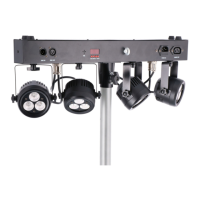
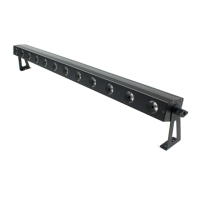
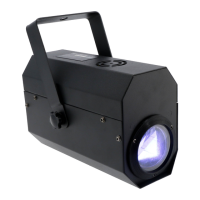
In Slave mode, you can daisy-chain multiple devices of the same type so they all function a specific way.
This way you can coordinate your light show by having multiple separate devices moving the same way
instead of all different directions, which can be chaotic. Basically, you can connect an unlimited number of
slave devices to a master device, but a DMX booster is required in between. Generally speaking, you can
connect up to four armatures together without the need for a DMX booster.
Be aware that when you attempt to connect devices of different types and brands, they may behave
strangely and you may not get the desired effect because certain functions are linked to the wrong channels.
This is true of DMX lighting of all brands and types.
DMX
The DMX mode is the most comprehensive way to maintain ultimate control over all the functions this device
has to offer. It enables you to determine exactly how many functions you want to control via the DMX
controller or DMX software.
This device can be set to various channel modes so the channel layout, which is shown below, corresponds
perfectly with your DMX circle layout, as well as with the functions you will be using.
DMX mode
6CH mode:
CH Function Values
1 Master Dimmer 000-255 (0-100%)
2 Shutter / Strobe 000-005 LED ON
006-015 LED OFF
016-131 LED Strobe slow-fast
132-139 LED ON
140-181 Fast on, slow off, slow-fast
182-189 LED ON
190-231 Slow on, fast off, slow-fast
232-239 LED ON
240-247 Random strobe
248-255 LED ON
3 Dimmer Red 000-255 (0-100%)
4 Dimmer Green 000-255 (0-100%)
5 Dimmer Blue 000-255 (0-100%)
6 Dimmer White 000-255 (0-100%)
9CH mode:
CH Function Value
1 Master Dimmer 000-255 (0-100%)
2 Shutter / Strobe 000-005 LED ON
006-015 LED OFF
016-131 LED Strobe slow-fast
132-139 LED ON
140-181 Fast on, slow off, fast-slow
182-189 LED ON
190-231 Slow on, fast off, fast-slow
232-239 LED ON
240-247 Random strobe
248-255 LED ON
The information in this user manual is subject to change at any time without notice.
Version: 1.0 Date of creation and author's initials: 07-10-2019 RV Revision date and author's initials: -


 To Next Page
 Loading...