Need help?
Do you have a question about the Ayra Compar Kit Jr. and is the answer not in the manual?
Lists all items included in the packaging for the lighting set.
Crucial safety precautions regarding moisture, voltage, and electrical hazards.
Guidelines on device handling, environment, user responsibilities, and modifications.
Covers general use, environment, storage, transport, and housing integrity.
Explains WEEE, CE, indoor use, and battery symbols.
Critical warnings and instructions for handling button-cell batteries.
Provides company contact details for inquiries and support.
Details the numbered parts and connections on the device.
Explains menu settings, functions, and detailed operational parameters.
Explains Auto, Sound, Slave, and DMX operational modes.
Details DMX channel configurations (4CH, 6CH, 7CH, 18CH).
Lists and explains the functions of the remote control buttons.
Covers standing, suspended installation, and mounting considerations.
Procedures for maintenance, parts, repairs, cleaning, and power output.
Provides a guide to resolving typical DMX lighting problems.
Outlines product features, technical specs, light output, and accessories.
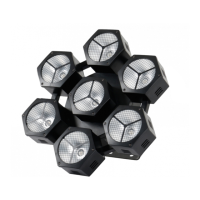
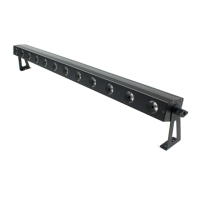
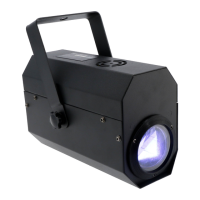
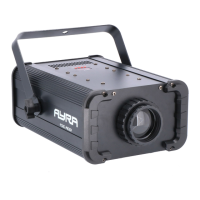
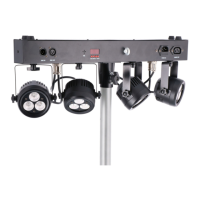
The Ayra Compar Kit Jr. is a compact LED lighting set designed for professional use in entertainment venues such as stages, theatres, and clubs. This highly versatile system features powerful RGBW LED chips integrated into four independently adjustable spotlights, offering a wide range of lighting effects.
The device can be operated in various modes, providing flexibility for different lighting setups and control preferences. Upon connection to an active mains power point, the device automatically switches on and displays "AYRA" during its start-up sequence. Once ready, it defaults to the last used mode, allowing users to adjust settings and modes via the integrated LED display and menu buttons.
In DMX mode, the device automatically detects a DMX signal and switches to the last used DMX address, typically 001 for a new device. The DMX address can be manually configured from A001 to A512. The device supports multiple DMX channel modes (4CH, 6CH, 7CH, or 18CH), allowing users to select the mode that best fits their DMX circuit and desired level of control. A concise channel mode can be chosen for simpler setups, while more extensive modes offer granular control over various functions.
The Master/Slave mode enables the synchronisation of multiple Compar Kit Jr. devices. By connecting them via DMX 3-pin XLR cables, all linked devices perform identical movements and functions, creating a coordinated light show. The first device in the circuit is designated as the Master and does not receive a DMX signal, while the other devices are set to Slave mode. It's important to note that when Slave mode is active, automatic or sound-controlled modes are not available. To exit Slave mode, users must select 'NAST' in the 'SLND' menu, returning the device to Master mode and enabling standalone functions.
The device features built-in shows (SHOW mode), allowing users to select from a variety of pre-programmed light sequences. The speed of these shows can be adjusted, or the fixture can be set to SOUN mode to synchronise with detected music. Show '0' cycles through various shows sequentially.
For colour customisation, the COLO mode offers built-in colour macros, as well as fade and jump effects. Users can manually set the dimmer and program speed. The MANU mode provides a manual colour mix function, where a master level can be set, an optional strobe effect added, and the values of individual base colours (red, green, blue, white) adjusted to create custom colours.
Sound-controlled operation (SOUN mode) utilises an integrated microphone to detect music beats and run programs accordingly, creating an automatic light show synchronised with the music. The SENS mode allows users to adjust the microphone's sensitivity, which is crucial for optimal performance based on the device's distance from the sound source. The microphone can withstand high sound pressure, but high sensitivity in loud environments may hinder accurate beat registration.
The LED display can be switched off (LED mode) when not in use to prevent red symbols from illuminating in dark spaces. Pressing any menu button will temporarily activate the display, which automatically switches off after 30 seconds of inactivity. The DISP function allows for display inversion, useful when the device is suspended upside down, ensuring readability.
For maintenance and diagnostics, the TEST mode runs a program that activates and checks each LED colour sequentially, helping to identify any deviations or defects. This program continues until manually interrupted. The INFO mode provides fixture information, including the total duration of use in hours (HOUR function) and the firmware version installed (VER function). The HOUR function updates automatically and cannot be adjusted by the user.
The Compar Kit Jr. is designed for both standing and suspended installations. For standing use, it should be placed on a stable surface like a table, DJ booth, or bar. The double suspension bracket doubles as a stand, allowing spotlights to be directed towards an audience or used for uplighting. All cabling should be secured to prevent accidental trips or pulls. The device can also be mounted on a stand using the included 35mm stand adapter (stand not included).
For suspended installations, additional suspension brackets and mounting materials are required (not included). G-hooks or half couplers can be installed on the device before mounting brackets. Standard hooks and brackets for 35 to 50mm tubes (truss or lighting stand) are compatible. When mounting to a wall, appropriate hardware must be used, and it is recommended to consult a specialist for different wall types.
A safety cable (not included) must always be attached when the device is suspended. The device has an attachment point for this purpose. The safety cable should have a load capacity ten times the device's weight and limit any fall to less than 30cm, reducing the risk of damage or injury.
The top surface of the Compar Kit Jr. includes extra mounting points for small LED moving heads, lighting effects, or strobes, with a weight limit of 2kg per extra fixture.
An infrared remote control is included for convenient operation when DMX is not used. The remote allows control over basic functions such as blackout (BL), speed adjustment (SP), dimmer scrolling (*), individual colour intensity (R, G, B, W), colour jump programs (Ju), colour fade programs (Fa), automatic programs (Au), sound-controlled mode (Su), and program/preset selection (CM+, CM-). The remote uses a standard CR2025 battery, which can be replaced by removing the battery cover on the underside. Note that the 'A' and 'UV' buttons on the remote have no function with the Compar Kit Jr.
The Compar Kit Jr. does not contain user-serviceable parts. All inspections, repairs, and maintenance must be performed by a qualified specialist.
Regular cleaning is recommended monthly. The exterior should be wiped with a dry or slightly damp microfibre cloth, ensuring the device is unplugged beforehand. All screws should be checked for tightness and replaced if necessary. Metal parts should be inspected for corrosion, and any signs of corrosion warrant a thorough check of the device.
The device features a power sharing output via an IEC C13 socket, allowing multiple devices to be daisy-chained without needing multiple mains power points. The internal fuse protects only the Compar Kit Jr. itself, and any issues with the device will not affect chained devices. The power sharing output supports a maximum of 2000 Watts, which is sufficient for most LED lighting setups. High-power equipment like smoke machines or halogen lighting should be avoided in the daisy chain. An IEC C13 to IEC C14 power cable with a minimum thickness of 1.5 mm² must always be used for power sharing.
In DMX mode, using a DMX terminator at the end of the circuit is common practice. A DMX terminator is a 120 Ohm resistor placed between the second and third pins of a standard male XLR connector, which eliminates data reflections that can cause erratic behaviour in DMX-controlled devices. Ready-made terminators are available, or one can be soldered manually.
 Power
Power| power output | max. 2000 W |
|---|---|
| supply voltage | 100 - 240V AC, 50/60 Hz |
| nominal power consumption | 33 W |
 Operating Environment
| nominal operating temperature | 0 to 40°C |
|---|---|
| fuse | F3AL250V |
| DMX control channels | 4, 6, 7 or 18 channels |
Light Output| red light output | 790 lux @ 1m |
|---|---|
| green light output | 1350 lux @ 1m |
| blue light output | 1900 lux @ 1m |
 Weight and Dimensions
| dimensions | 606 x 97 x 214 mm |
|---|---|
| weight | 3.1 kg |
| projection angle | 33° |

 To Next Page