ULTRA-QUICKSTART GUIDE
1
These minimized directions are intended for more knowledgeable or experienced installers, or just for
the impatient. Turn this booklet over for more in-depth instructions, and see https://
support.ayrstone.com for additional information.
Turn over for more in-depth instructions
GET READY: Write down the MAC address of the Hub in the box below and
put it someplace safe. If you haven't already, create an account on
AyrMesh.com from a computer connected to the same router that the Hub
will be connected to. This ensures you won't have to enter the Hub's MAC
address manually.
2
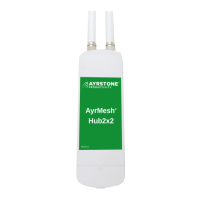
ASSEMBLE: Screw the antennae into the top of the Hub (nger-tight, no tools), then open the
door on the bottom of the Hub, exposing the Ethernet ports.
3
INITIALIZE: With an Ethernet cable, connect the LAN port of
the Power Supply to your router. With another Ethernet cable,
connect the PoE port of the Power Supply to the "PoE In" port
on the Hub. Plug in the power supply (lights on the Hub will go
on). Wait until the Hub checks in to AyrMesh.com - the signal
lights will "run" from bottom to top, then the top signal light
will remain lit. This should take about a minute.
4
INSTALL: Mount the Hub outdoors, as high and "in the clear"
as possible. Run a long (preferably shielded - STP) Ethernet cable
from the power supply (which must be kept dry) to the Hub -
remember to leave a "drip loop" where the cable enters the
building to prevent water from coming down the cable inside.
The Gateway Hub must have the "LAN" port of the power supply
connected to the Router; Remote Hubs have the LAN port
available for connecting other devices.
See http://support.ayrstone.com for additional information, hints, and
troubleshooting tips.
Zip-
ties
Pole
Screws
Drip
Loop


 To Previous Page
 Loading...