Connecting with Raspberry Pi
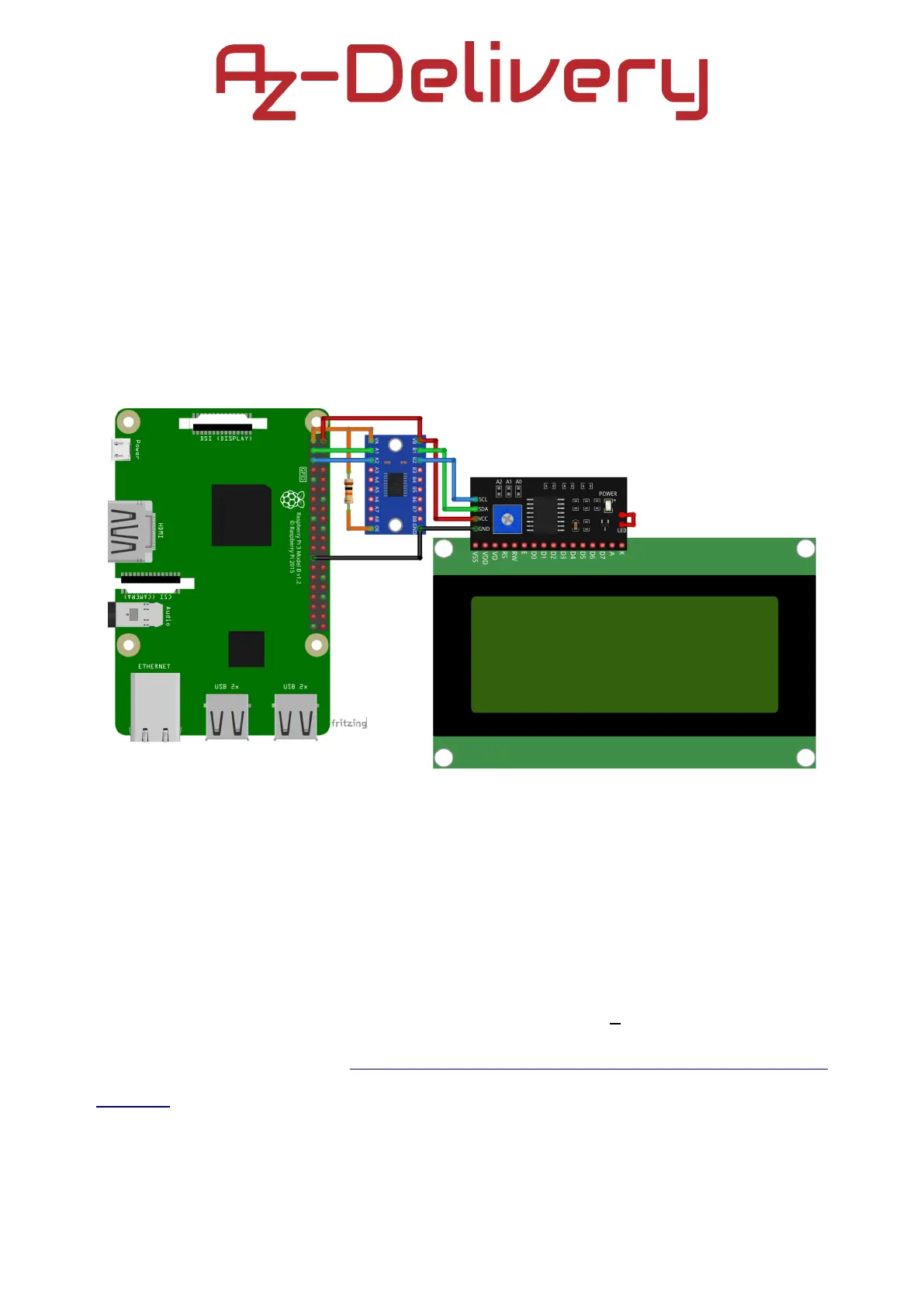
An example of the usage of Logic Level Converter with the Raspberry Pi is
shown on the following connection diagram:
The Logic Level Converter is connected to the Raspberry Pi and to the I2C
adapter which is connected with 20x04 Green LCD Screen. The operating
voltage for I2C adapter is 5V and for Raspberry Pi it is 3.3V, therefore the
Logic Level Converter is needed, otherwise Raspberry Pi can be damaged.
For those who want to know more about the devices or look for a Python
example script, there is a Quick Start Guide for 20x04 Green LCD with I2C
adapter on our AZ-Delivery website.
- 15 -



 To Next Page