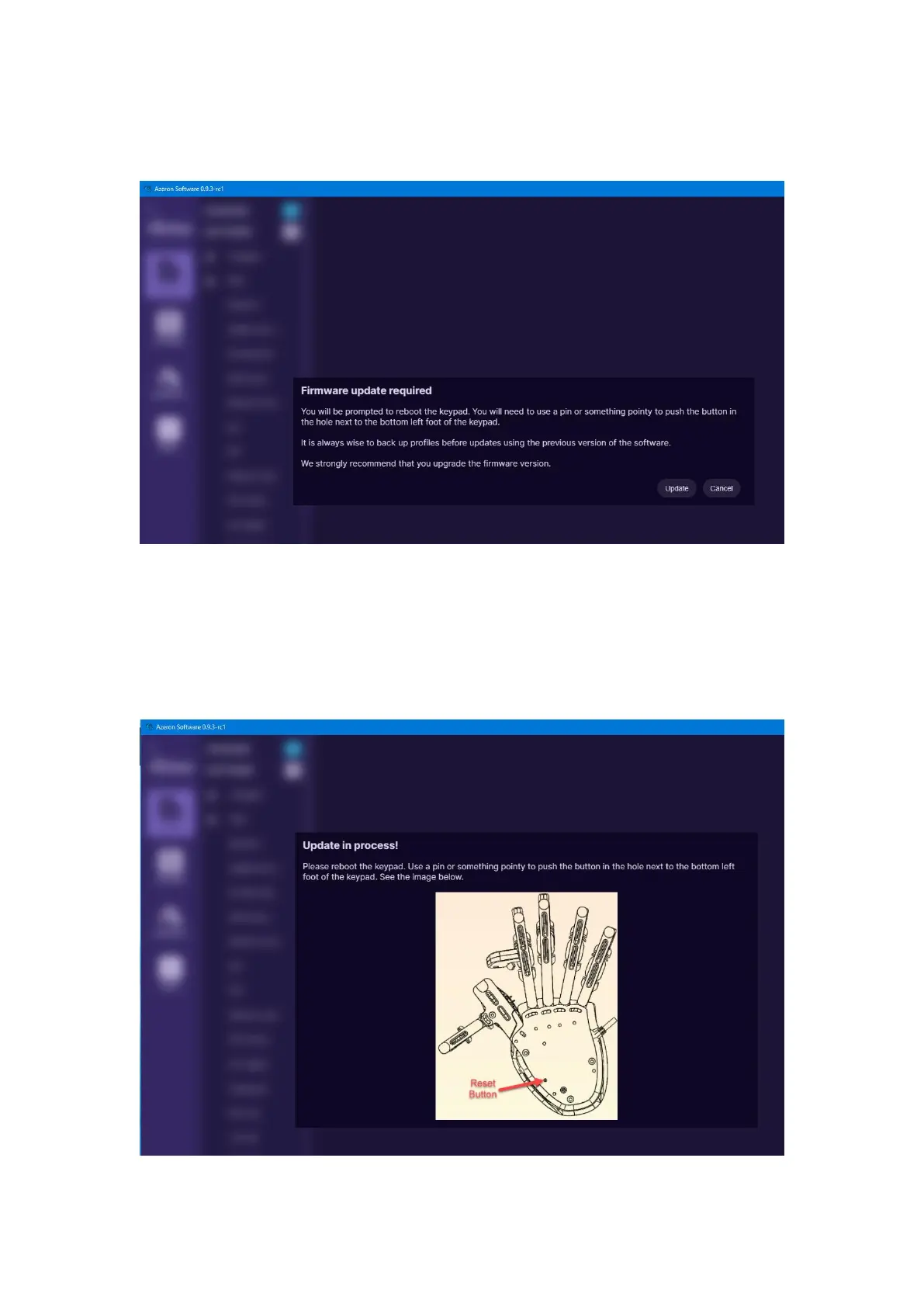
When opening Azeron software, there are 3 options what could show up:
A) When opening software, it may show this screen:
It means that the keypad requires firmware update.
Click on “Update” at the bottom right corner.
There will be a loading animation as it downloads the newest version.
For older keypad versions (those that are using Teensy as their
microcontroller) will need to press the reset button underneath:



 To Next Page