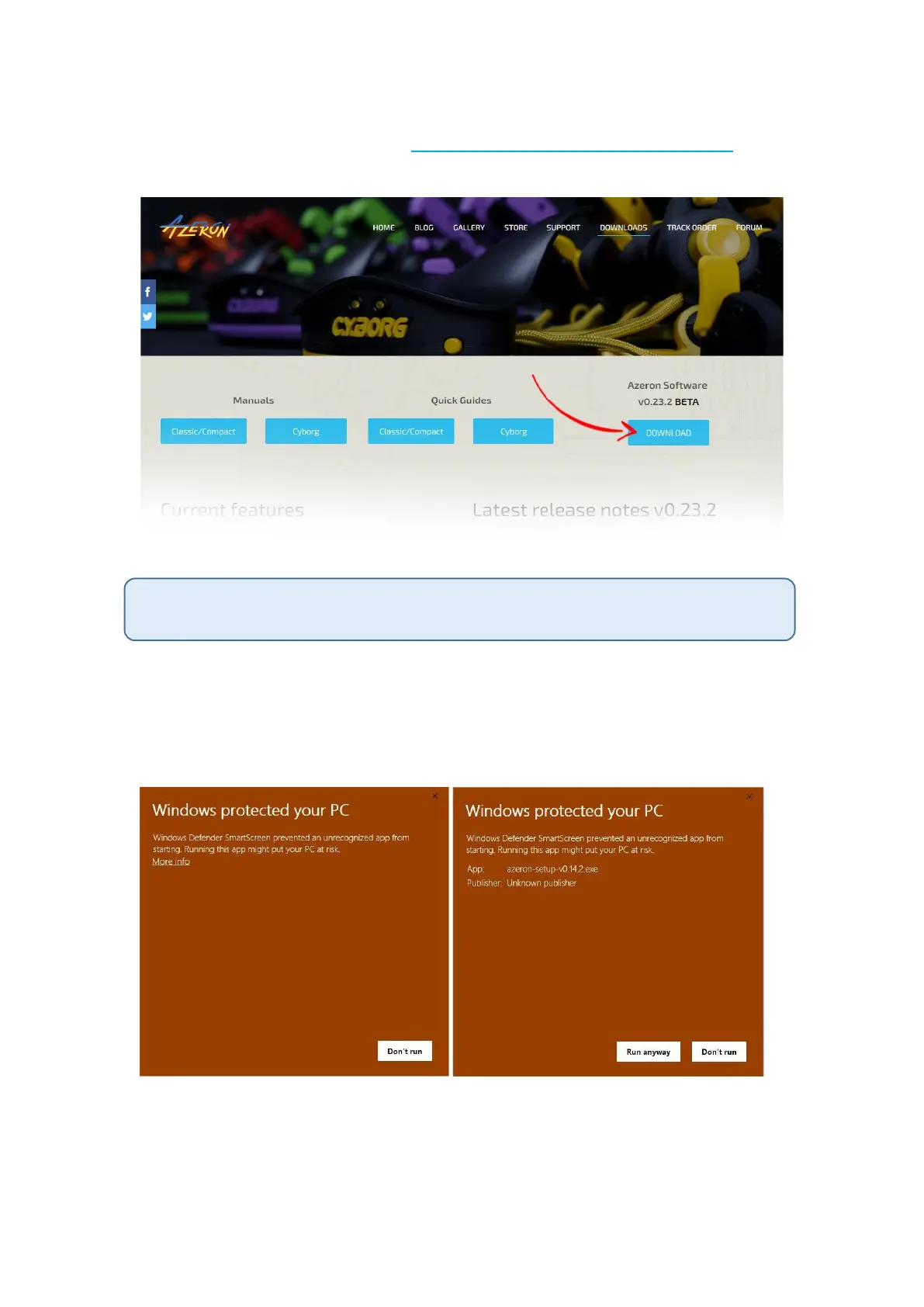
We are constantly working on new features and improvements, so make
sure to go to our website (https://www.azeron.eu/downloads/) and
download the latest Azeron software.
When shipping out the keypad to you, it already has a pre-installed latest firmware. So
by default you don’t need to install that.
Go to the directory where you downloaded the software, then double
click on Azeron-setup-vX.XX.X to install the software.
Sometimes Windows may prevent installation, because it is a new
software it doesn’t recognize:
Just click on the “More info” and then on “Run anyway”.
After that, the software will start to install. When it’s done, there will be
a shortcut icon on Desktop and in the Start menu.



 To Next Page