Section B: Connecting to new SSIDs on iOS
Devices
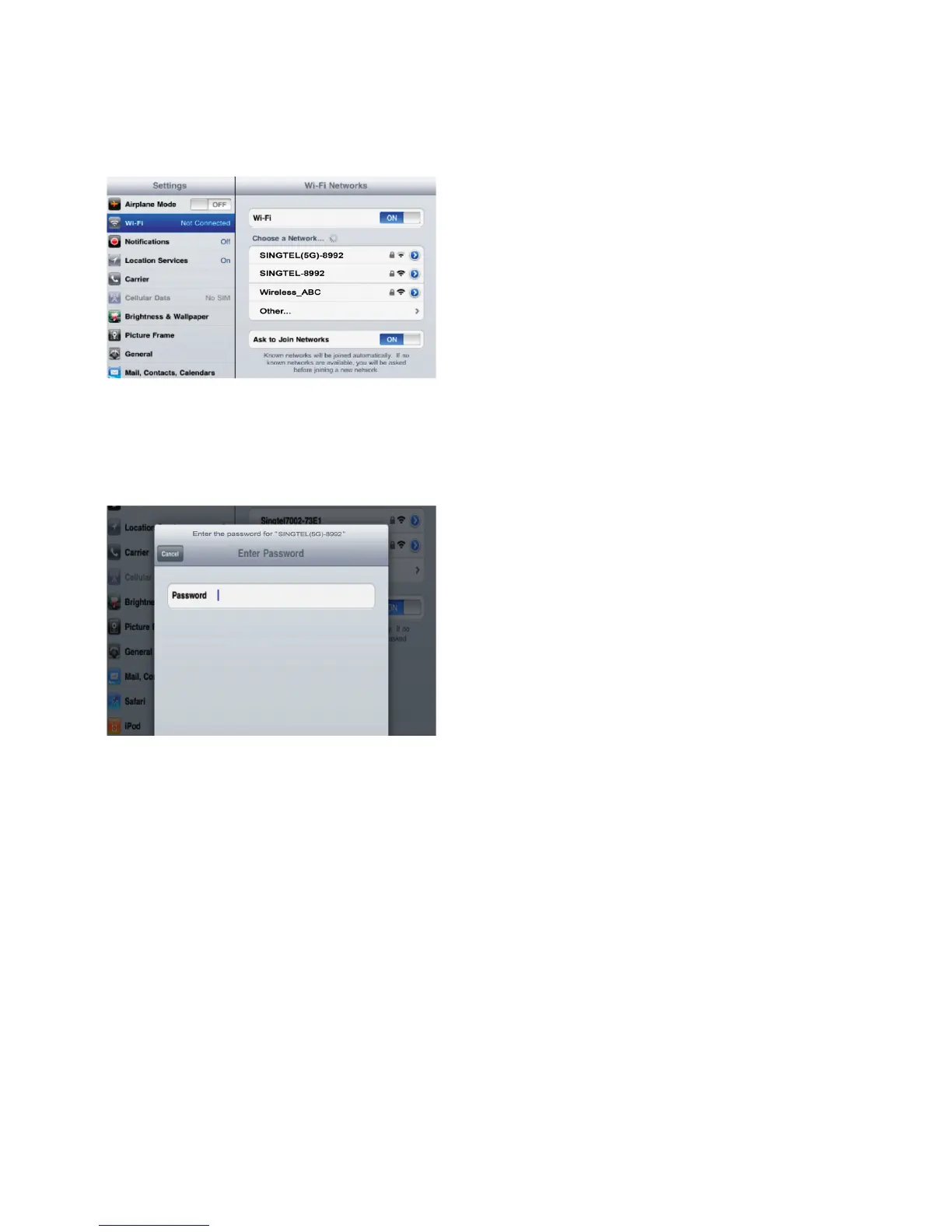
Go to the settings page and click
on the Wi-Fi tab.
A list of network will be shown. Two
SSIDs will appear on the network
list if your device supports dual
band.
You may want to connect to the
5.0GHz where available as it’s
likely to give a higher speed.
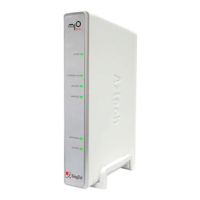
Once you have selected the
network, simply key in the
password/network key. In
future, you will be automatically
connected to the network.
1
2


 To Next Page