15
STEP 4:
Dual Band Wireless Connectivity via
Mobile Devices
For Android devices, kindly follow the instructions below in connecting
to 2.4GHz or 5.0GHz wireless SSIDs.
Section A: Connecting to new SSID on Android
Devices
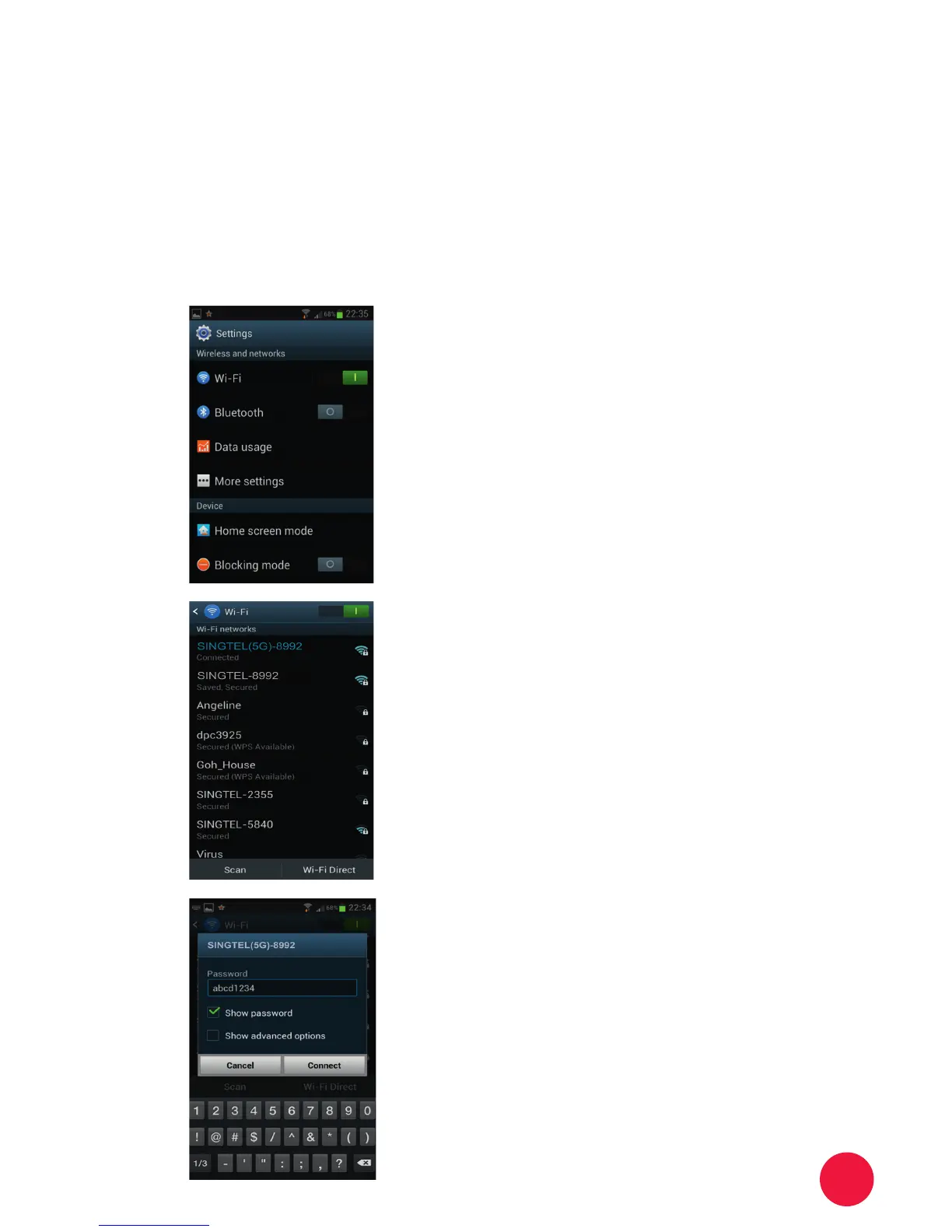
Go to Settings page. Click on the
Wi-Fi tab.
Two SSIDs will appear on the
network list if your device supports
dual band.
You may want to connect to the
5.0GHz where available as it’s
likely to give a higher speed.
Key in the password to connect to
the network.
In the future, you will be
automatically connected to the
network.
1
2
3
4


 To Next Page