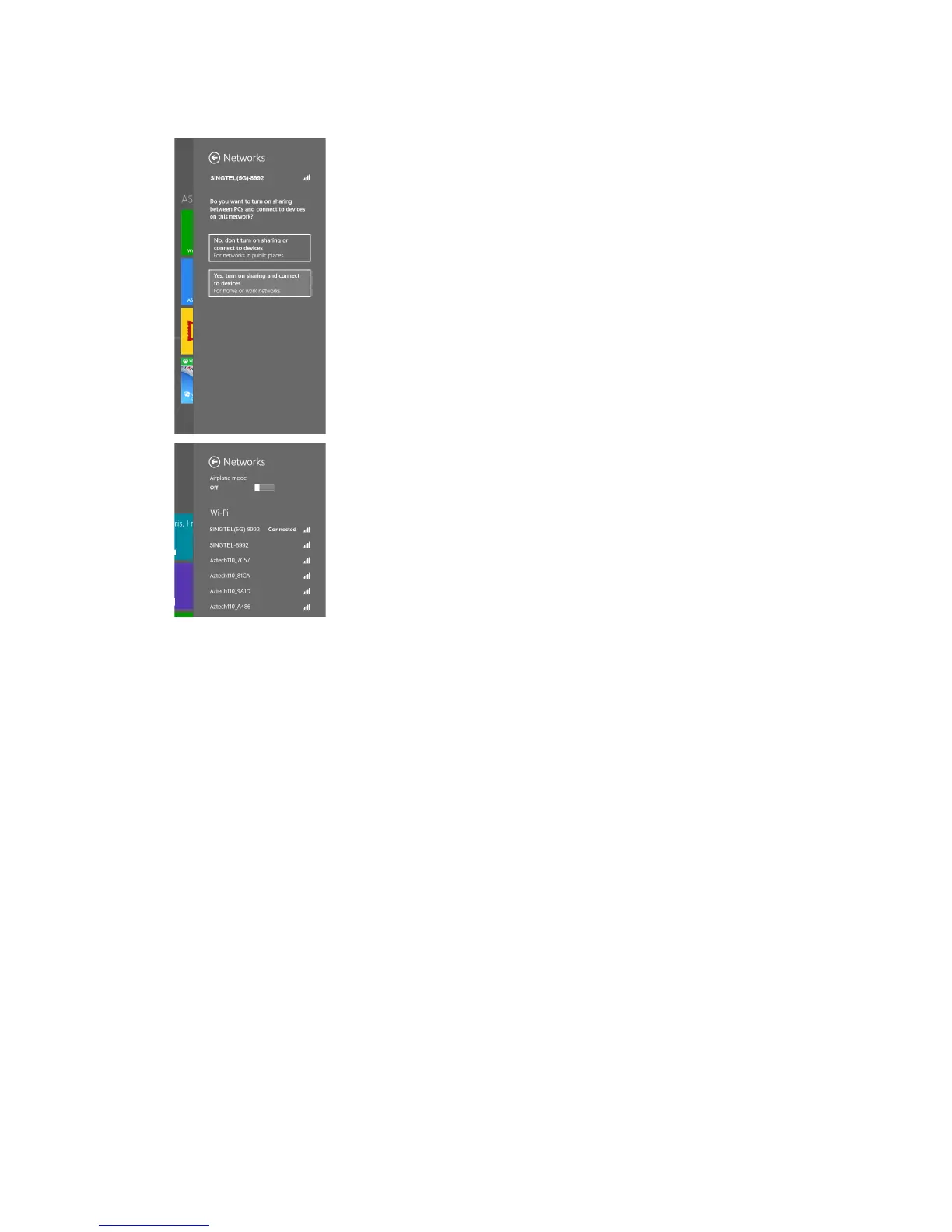
If you are prompted to turn on sharing,
choose “Yes, turn on sharing and
connect to devices”.
You will see the wireless icon on the
Networks bar, like the one on the
left once the wireless connection is
successful.
5
6
Section F: For Other Wireless Managers
Open your default or preferred Wireless Manager.
Conguration of most Wireless Managers requires your Network Name
and Key. Follow the steps below or refer to the user manual of your
wireless adapter for advanced instructions.
Look for your Network Name and double click on it.
Note: Please refer to section A if you are unsure about your Network Name or
try refreshing your Network list if you do not see it.
Enter your Network Key when prompted.
Note: Please refer to section A if you are unsure about your Network Key.
1
2
3


 To Next Page