13
Section E: If you are using Windows 8
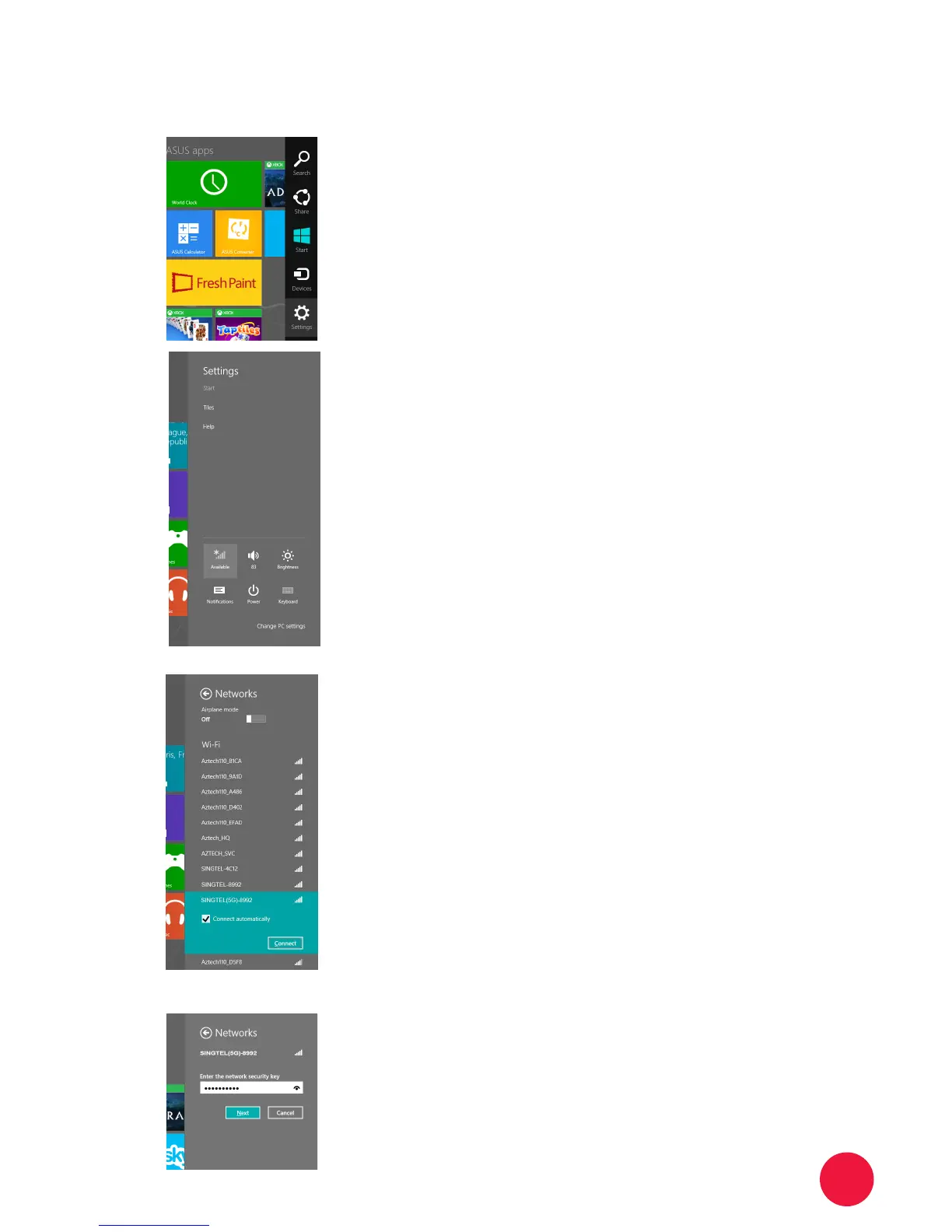
Move your mouse cursor to the
lower right corner of the screen. The
Charms Bar will appear.
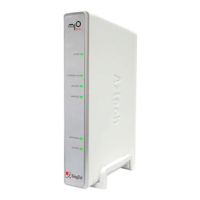
Click Settings and then click the WiFi
icon.
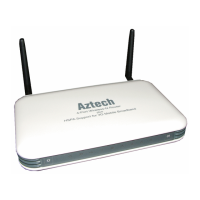
From the list, click to select your own
wireless network (e.g .
Note:
1. Tick on the box for “Connect
Automatically”, if you do not want to
enter the network key next time you
wish to connect to the same wireless
network.
2. Please refer to Section A if you are
unsure of your Wireless Network
Name .
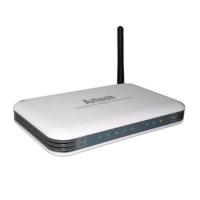
Input your wireless Network Key on
the “Security Key” eld.
Note: Please refer to Section A if you are
unsure of your Network Key (Security
Key).
1
2
3
4


 To Next Page