4
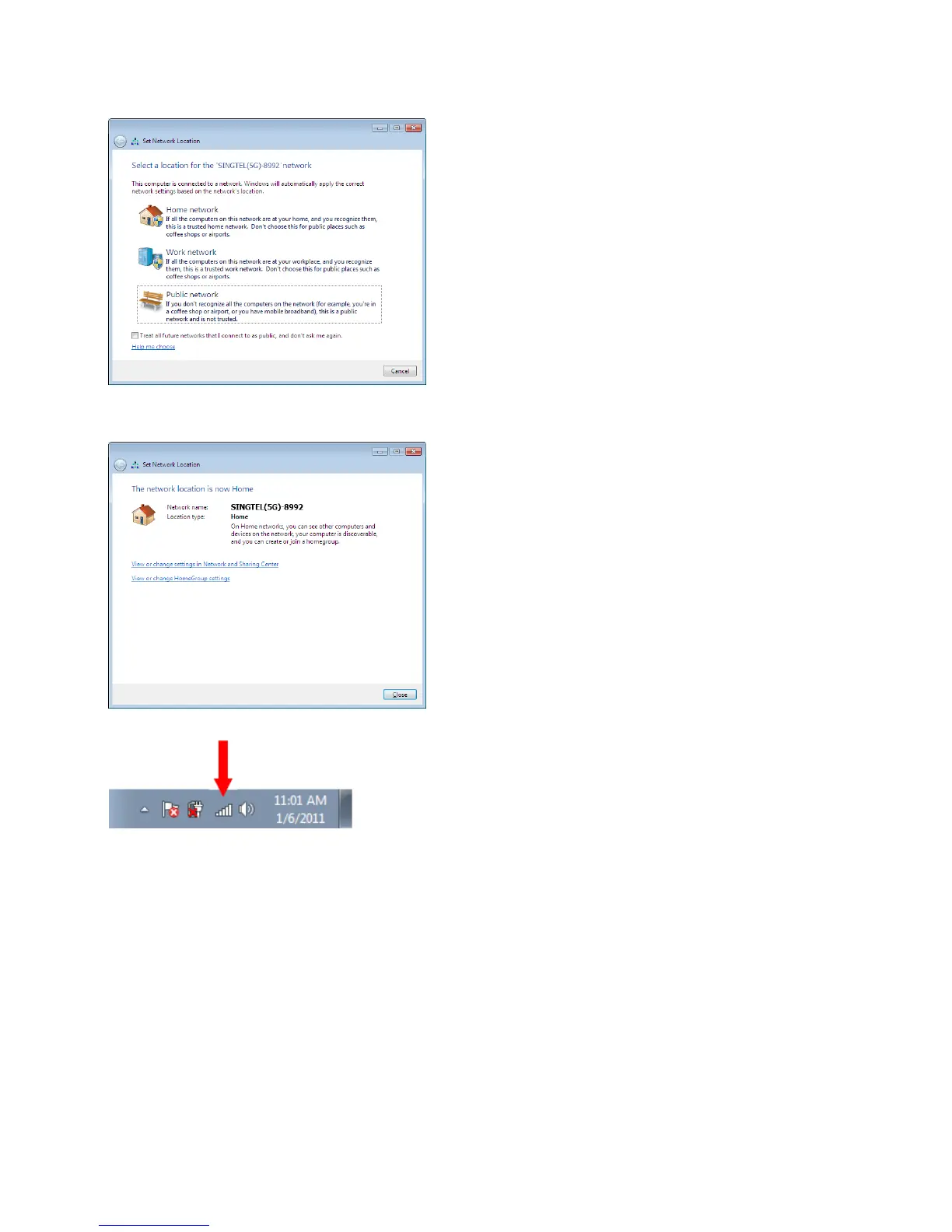
On the Select Network Location
click on “Home Network”.
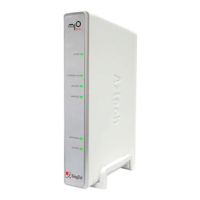
Click on the“Close” button to
complete the setup and close the
window.
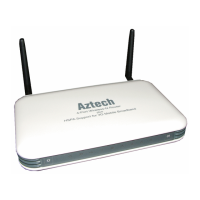
You will see the wireless icon on
the taskbar, like the one on the left,
once the wireless is successfully
connected.
5
6


 To Next Page