11
Note: Please refer to Section A if you
are unsure of your Network Name or try
refreshing your network list if you
do not see it.
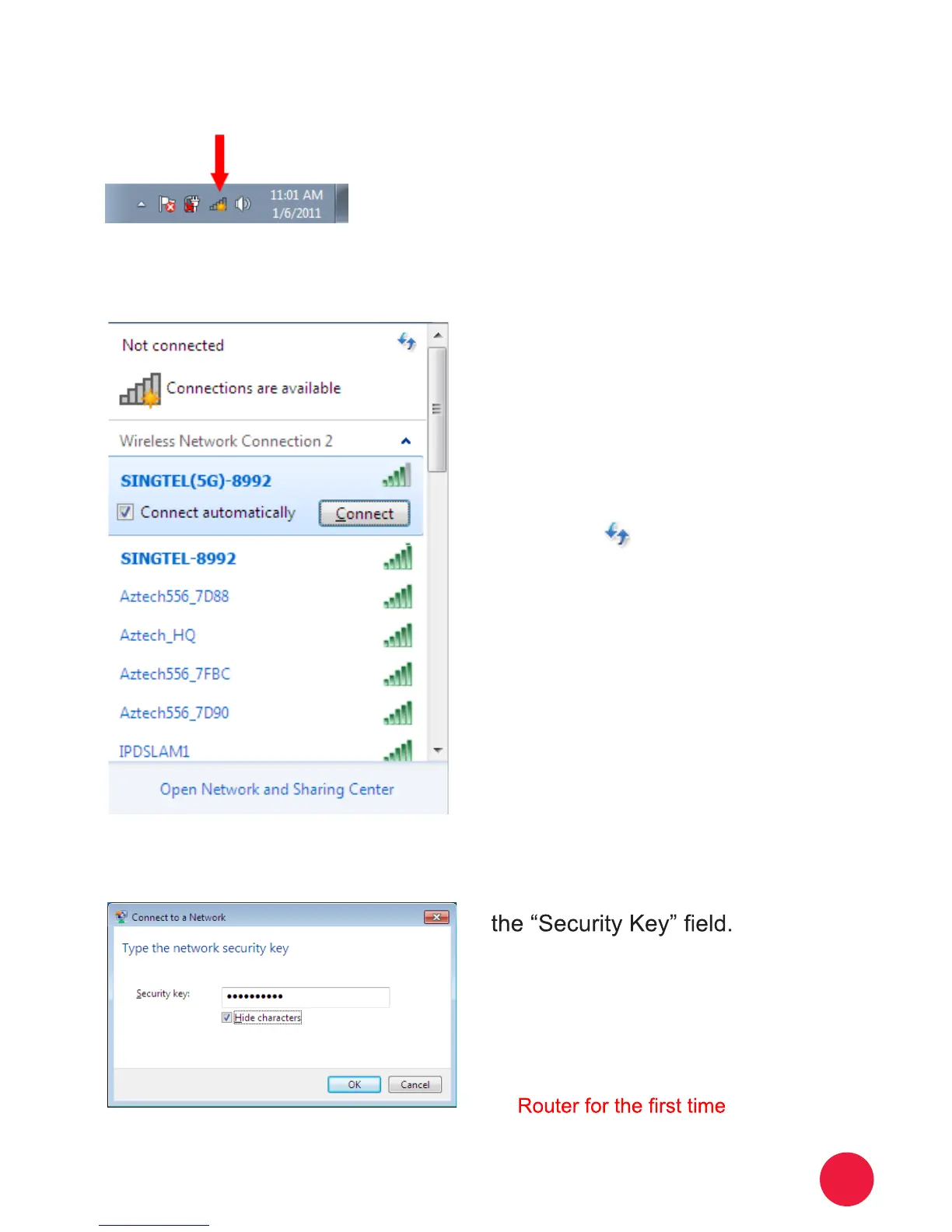
Section D: If you are using Windows 7
On the right hand side of the task
bar, click on the wireless network
icon like the one on the left.
You will see a window of the available
networks, locate and select your
own wireless network
e.g. SINGTEL(5G)-8992
Input your wireless network key on
1
2
3
Note:
Please refer to Section A if you are
unsure of your Network Key. You will see
this when:
1. You are connecting to the Wireless
2. You had unselected the option to save
the Network Key


 To Next Page