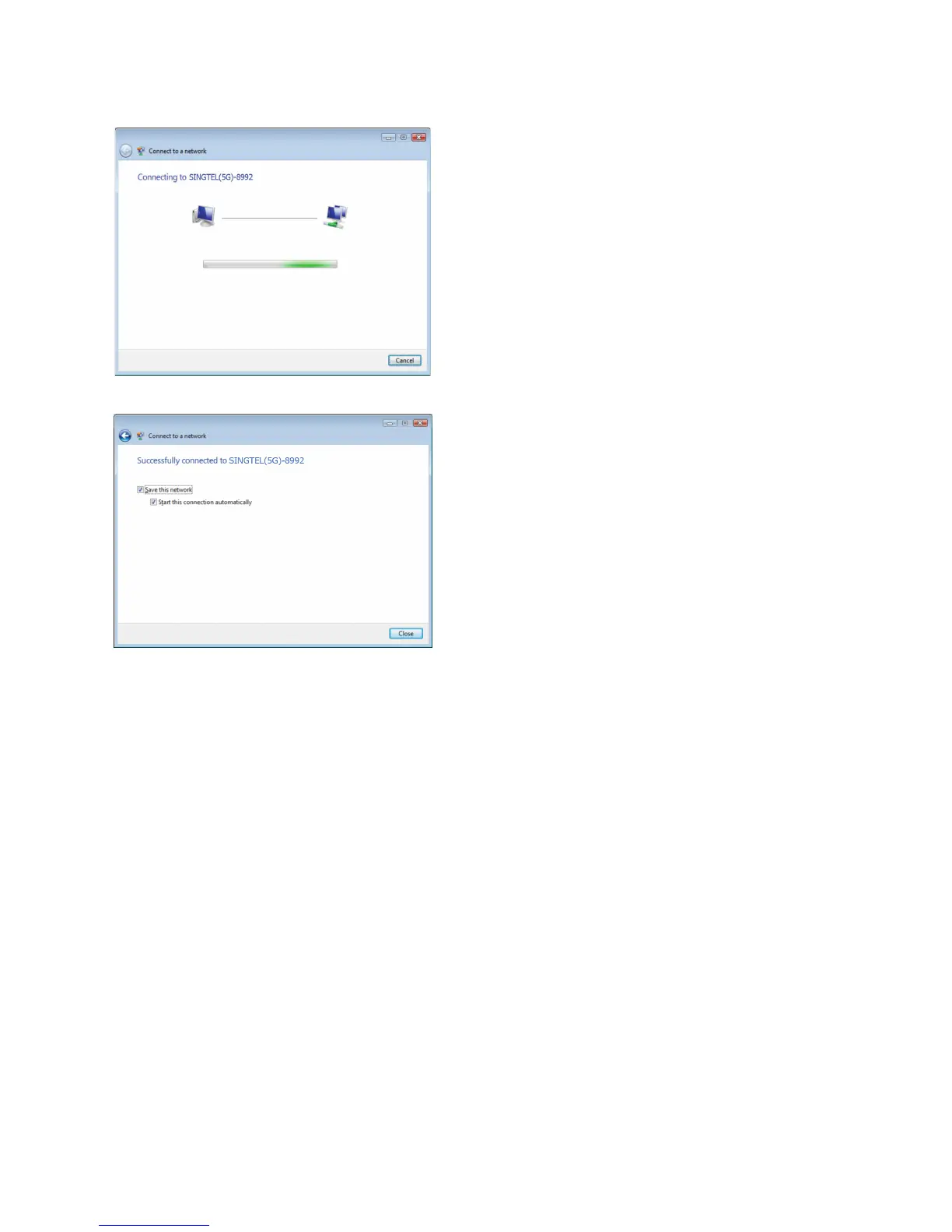
Please wait while your computer
authenticates your wireless
network.
11
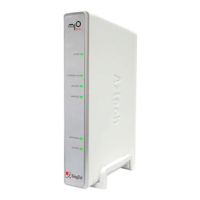
Your wireless connection is
succesfully congured when you
see the screen on the left.
12
Make sure that “Save this network”
is selected.
13
Note: This option will save your Network
Key. If you do not enable this option, you
will always be prompted to enter the key.
Ensure that you have “Start this
connection automatically” selected.
14
Note: This option will connect your
computer to the Wireless Router
automatically. If you do not enable this
option, you will be required to connect to
the wireless network manually.
You have successfully congured
your wireless connection on
Windows Vista.
15
Click on “Close” to exit the window.
16


 To Next Page