Need help?
Do you have a question about the B & G H50 Handset and is the answer not in the manual?
Lists the key features and capabilities of the B&G V50 marine VHF radio.
Explains how to customize radio settings and preferences.
Guides users on navigating the radio's menu system using keys and controls.
Details the process of entering text and data using the radio's controls.
Explains the various symbols displayed on the radio's LCD screen.
Describes the different beep tones and call alert sounds used by the radio.
Covers fundamental operational aspects and key controls of the radio.
Instructions for managing waypoints, including adding, editing, and deleting.
Details how to adjust the display backlight brightness.
Guides on managing a list of contacts for quick calling.
Explains how to adjust receiver sensitivity for different environments.
How to adjust the LCD screen contrast for better visibility.
Information on GPS data input, time settings, and display options.
Information on enabling and using the GPS simulator feature.
Instructions for restoring radio settings to their original factory defaults.
How to select the channel bank for different regions (US, International, Canada).
How to customize channel names displayed on the LCD.
Adjusting the volume for incoming DSC calls.
Adjusting or disabling the sound of key presses.
Setting measurement units for distance and navigation.
Controlling the internal speaker output.
Configuring channels for monitoring (US models only).
Setting up and managing weather alert preferences.
Configuring NMEA communication ports for data exchange.
Selecting the source for GPS data input.
Programming a weather channel for quick access.
Instructions for entering and viewing the unique Marine Mobile Service Identity.
Managing groups of contacts for group calls.
Entering and checking the ATIS MMSI for European inland waterways.
Enabling or disabling the ATIS functionality.
Setting automatic or manual responses to incoming individual calls.
Enabling or disabling the core DSC functions.
Setting how the radio responds to location polling requests.
Configuring automatic channel changes after DSC calls.
Setting automatic or manual responses to DSC test calls.
Configuring the inactivity timer for automatic menu exit.
Turning the AIS receiver function on or off.
Selecting how AIS target information is displayed.
Setting the data transmission speed for AIS output.
Redirecting GPS data to the chartplotter.
Enabling or disabling alarms for closest point of approach.
Configuring the distance threshold for CPA alarms.
Configuring the time threshold for TCPA alarms.
Process for pairing a wireless handset to the base station.
How to remove a paired wireless handset.
Explains the Digital Selective Calling system and its purpose.
Overview of initiating DSC calls to other vessels or stations.
Step-by-step guide on how to make a distress call.
Procedures for handling an incoming distress call alert.
How to acknowledge or relay a distress call.
Handling incoming individual distress relay calls.
Introduction to the Automatic Identification System (AIS).
Details on the types of information AIS transmits.
How to view AIS information on a chartplotter or PC.
How AIS data is presented on the radio's LCD and plotter.
Details on the Time-to-Closest-Point-of-Approach display.
Explains the symbols used on the AIS plotter screen.
How to operate the fog horn function.
How to use the public address and listen-back system.
General operation of the wireless handset.
Using the intercom and conference features with handsets.
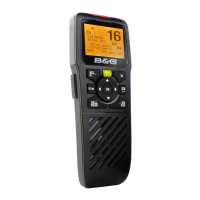
Explains the functions of each key on the wireless handset.
Lists the general technical specifications for the B&G V50.
Lists the technical specifications for the B&G H50 wireless handset.
Lists the NMEA 2000 Parameter Group Numbers (PGNs) for the V50.
Troubleshooting steps for when the transceiver fails to power on.
Troubleshooting for blown fuses, likely due to reversed wiring.
Solutions for electrical noise interference from the engine.
Troubleshooting steps for issues with the external speaker.
Diagnosing low transmission power issues, possibly antenna related.
Indicates low battery voltage and checks for charging system.
Troubleshooting GPS signal loss or incorrect settings.
Table listing international VHF marine channels, frequencies, and usage.
Table listing US VHF marine channels, frequencies, and usage.
Table listing Canadian VHF marine channels, frequencies, and usage.
Lists weather channels available in the US and Canada.
Explains codes and messages for Emergency Alert System alerts.
Table of EU international VHF marine channels, frequencies, and usage.
Channel usage for inland waterways with ATIS enabled.
Lists special channel allocations by country.
 General
| Type | Handheld VHF Marine Radio |
|---|---|
| Frequency Range | 156.000 - 163.425 MHz |
| Battery | Li-ion rechargeable battery |
| Waterproof Rating | IPx7 |
| Display | LCD |
| Channels | All International, US and Canadian Channels |
| Power Output | 5W / 1W |


 To Next Page