Design and Construction
© b2 electronic GmbHDHV0086 Rev0626
Step
Procedure
(Instrument Setup)
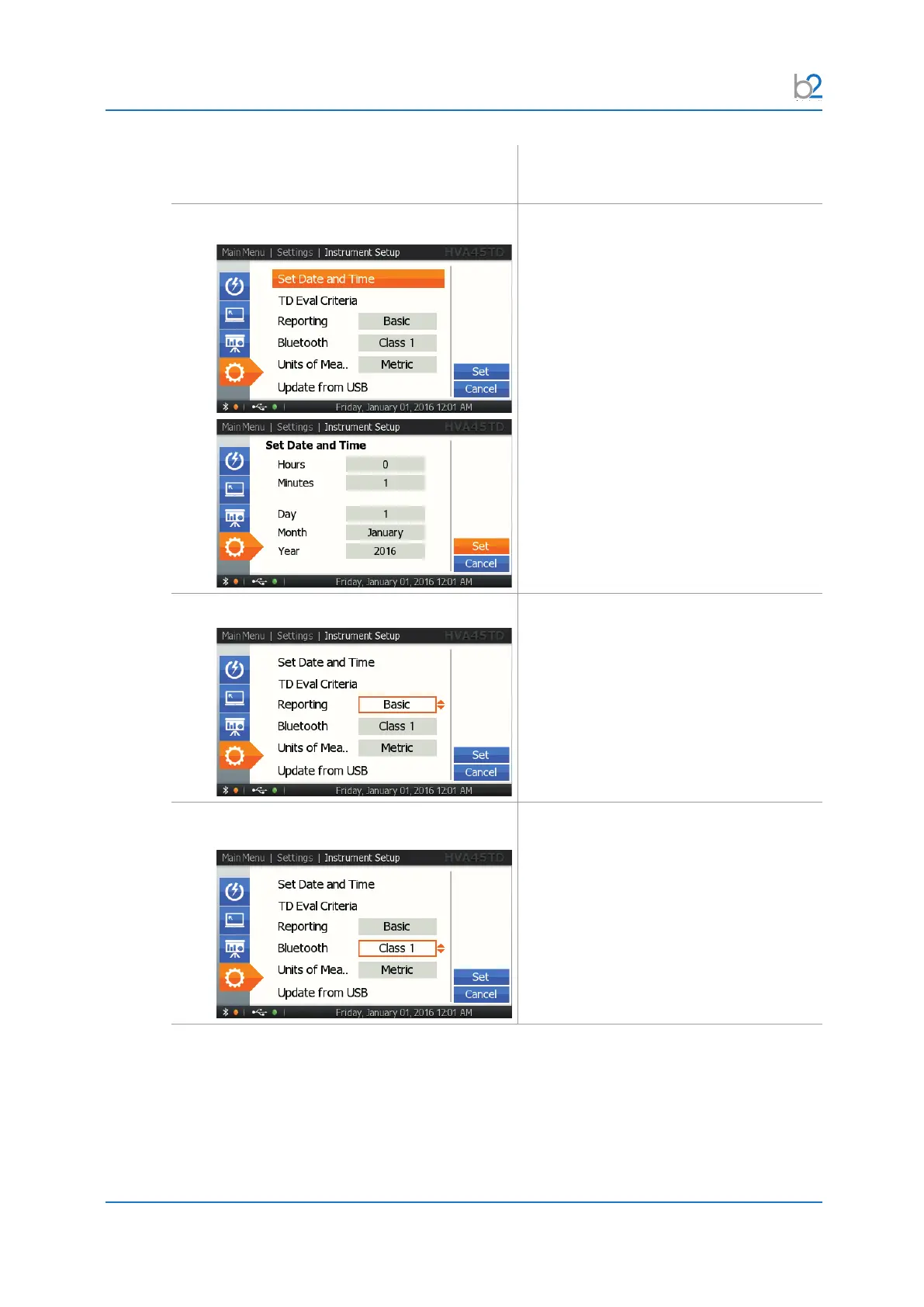
IS3: Set Date and Time
Select “Set Date and Time” from the
“Instrument Settings” menu to arrive at
the appropriate screen and set date and
time.
IS4: Reporting
Select the appropriate reporting type:
Disabled/Basic reporting/Extended
reporting
Basic reporting only states the DUT type
and a title, whereas extended reporting
provides detailed information.
IS5: Bluetooth Depending on the Bluetooth setting
(Class 1/2/3/Disabled), the device selects
the corresponding RF transmission speed.



 To Next Page