Test Procedure
© b2 electronic GmbHDHV0086 Rev0656
5�3�2
StepsNS1-NS19describehowtocongureatestsequence.
Step Procedure (Congureautotestsequence)
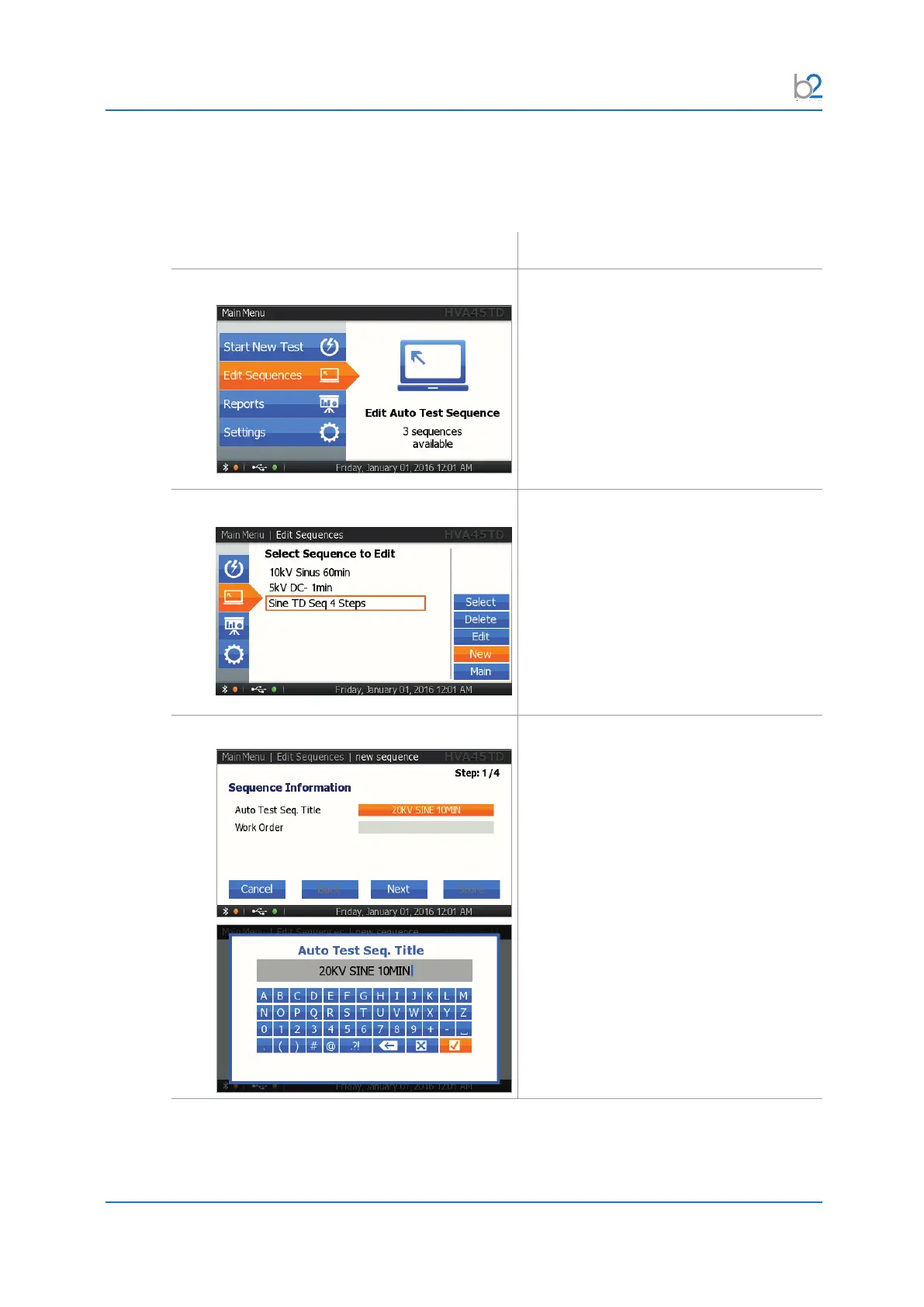
NS01: Edit Sequences
Select “Edit Sequences”.
NS02: EDIT or NEW?
The “Edit Sequences” menu displays the
sequences already stored in memory.
To create a new sequence, select the
“New” option on the right-hand side of the
screen.
NS03: Title
For entering a title for the test sequence,
activate the keyboard and type the title.



 To Next Page