20
SPDIF/ RAW:
When the player is connected with the power
amplifier by the analog or optical port, please
select this item; when the playing disc which is
recorded by Dolby Digital, DTS or MPEG
recoding system, the analog or optical output
signal of the unit will be the same as the
digital signal (RAW format) of the playing
disc. At the same time, the power amplifier
you connected must have the decode function
of Dolby Digital, DTS or MPEG.
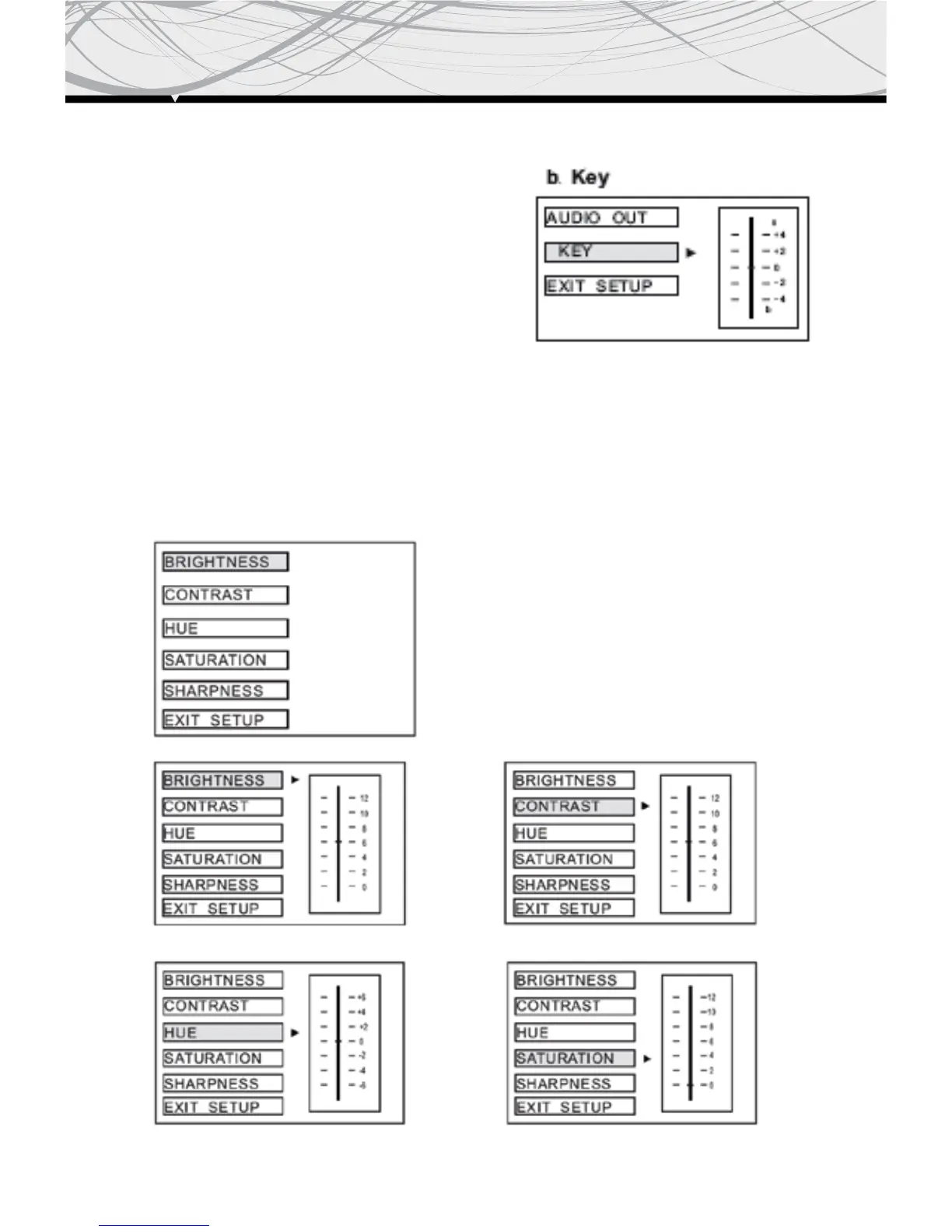
This is for the user to set Brightness Contrast,
Hue and Saturation of the picture by pressing
the arrow left/ right button.
Press Enter but ton to con firm the change.
NOTE: Only on TV/ AV mode, the video setup
is available
SPDIF/ PCM:
When the player is connected with the 2 channel, digital stereo amplifier, please select this item;
when the playing disc which is recorded by Dolby Digital or MPEG recording system, the analog
or optical output will be modulated to 2 channel output by PCM.


 To Next Page