
 Need help?
Do you have a question about the B52 DV 8512 and is the answer not in the manual?
Details on the unit's design for 14.4V DC negative ground operation and connection precautions.
Information on compatible disc types (MPEG4, DVD, VCD, CD) and guidelines for clean disc handling.
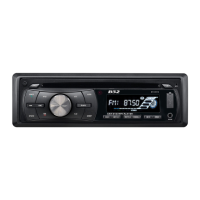
Detailed labeling and identification of all buttons and ports on the unit's front panel.
Diagram illustrating the correct wiring connections for power, speakers, and antenna.
Steps for initial unit setup, powering on/off, and adjusting volume using the main knob.
Instructions for using Mute, EQ presets, displaying/adjusting time, and selecting operational modes.
How to select radio bands (FM/AM) and tune stations manually or automatically.
Information on supported disc formats (DVD, MP4, VCD, etc.) and reception settings (LOC/DX).
Adjusting Loudness, Mono/Stereo modes, and scanning/memorizing radio stations.
Controls for selecting tracks, repeat play, random play, scanning, pausing, stopping, and ejecting discs.
Steps for pairing a mobile phone with the unit via Bluetooth using password '8888'.
Using Bluetooth for hands-free calls, A2DP audio playback, and managing the phonebook.
Diagram showing the layout and numbering of all buttons on the remote control.
Instructions for replacing the CR2025 battery in the remote control.
Operation of Power, Pause/Play, Mute, Menu Selector, and Band/System Switch buttons.
Using remote buttons for volume control, station tuning, and track selection (FF/RW).
Setting up Program Play, ST mode, On-Screen Display, and Audio Mode Selection (SEL).
Using number buttons for track selection and adjusting audio output modes (L/R/Stereo).
Accessing PBC menus, Subtitle, Playback Time, Angle, and Slow Play functions.
Displaying track titles and using zoom functions for DVD/VCD playback.
Accessing and navigating the main setup menu using the remote control.
Instructions for playing mixed-format discs containing MP3, WMA, JPG, or MPEG4 files.
How to search for specific tracks within MP3/WMA files or playlists.
Configuring TV System, Screen Saver, Video Output, TV Type, and Password settings.
Setting parental guidance ratings and selecting OSD, Audio, Subtitle, and Menu languages.
Choosing preferred languages for audio tracks and subtitles.
Setting up SPDIF output modes (OFF, RAW, PCM) for analog or optical connections.
Adjusting Brightness, Contrast, Hue, Saturation, and Sharpness for video output.
Configuring SPDIF output and using the 'Key' function for audio output modes.
Configuring OP Mode, Dynamic Range compression, and Dual Mono stereo modes.
Instructions for correctly attaching and detaching the front panel to the main unit.
Guidance on cleaning the unit's connector with an alcohol swab to ensure proper function.
 General
| Channels | 4 |
|---|---|
| Inputs | USB, AUX, SD Card |
| CPU | Quad Core |
| RAM | 1GB |
| ROM | 16GB |
| Bluetooth | Yes |
| Wi-Fi | Yes |
| GPS | Yes |
| Radio | FM/AM |
| Steering Wheel Control | Yes |
| Backup Camera Input | Yes |
| Playable Formats | MP3, WMA, WAV, AVI, MP4 |
| Operating System | Android |

 To Next Page