EasyManua.ls Logo

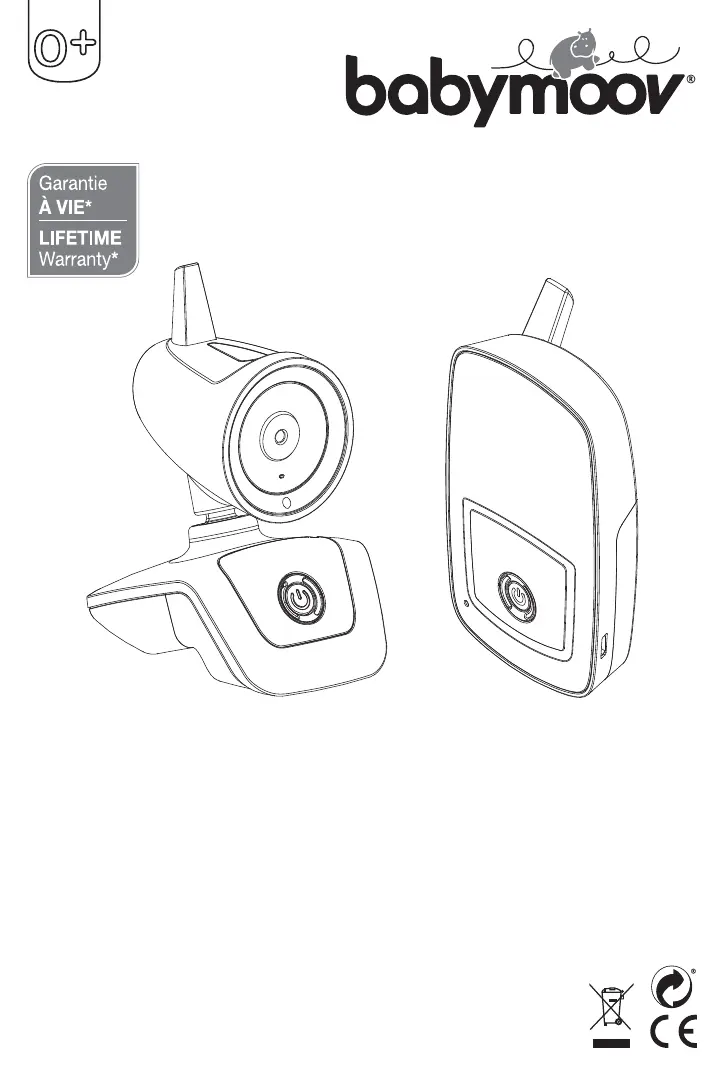
babymoov YOO Care - User Manual

babymoov YOO Care
80 pages
Go to English
Print Icon
To Next Page IconTo Next Page
Loading...
Babymoov
Parc Industriel des Gravanches
16, rue Jacqueline Auriol
63051 Clermont-Ferrand cedex 2 - France
www.babymoov.com
Designed and engineered
by Babymoov in France
Réf. : A014422
YOO Care
Notice d’utilisation • Instructions for use • Benutzungsanleitung • Gebruikshandleiding
Instrucciones de uso • Istruzioni per l’uso • Instruções de uso • Návod k použití
Használati utasítások • Instrucțiuni de utilizare • Instrukcje użycia • Brugsanvisning

Questions and Answers

  • K
    Kimberly JacobsonAug 12, 2025
    What to do if the babymoov YOO Care Baby Monitor out of range alarm sounds constantly?
    • W
      williamhortonAug 13, 2025
      If the out of range alarm on your babymoov Baby Monitor is constantly sounding, it could be due to several reasons. First, the transmitter battery might be low, so try changing the batteries or using the mains adapter. Second, the transmitter and receiver might be too far apart; try moving the receiver closer to the transmitter. Finally, the connection may have been lost or is incorrect; in this case, try reconnecting the devices.
  • S
    Scott FlemingAug 16, 2025
    Why is there no audio or video signal on my babymoov YOO Care?
    • E
      epattersonAug 16, 2025
      If you're not getting any audio or video signal on your babymoov Baby Monitor, there are a couple of things to check. It could be that the microphone sensitivity is set too low; try increasing it using the Baby menu. Alternatively, the battery might be run down, or the mains adapter isn't correctly connected to the transmitter; try replacing the battery or checking the connections.
  • M
    martinkarenAug 19, 2025
    Why is the image on my babymoov YOO Care blurred or in black and white?
    • J
      Jacqueline VelazquezAug 20, 2025
      If the image on the screen of your babymoov Baby Monitor is still, blurred, or in black and white, it could be due to a few reasons. You might have reached the range limits, so try moving the receiver closer to the transmitter. It could also be due to insufficient light in the baby’s room; in this case, increase the lighting. Also, interference from other devices might be preventing the transmitter from operating correctly, so try restarting the transmitter.
  • S
    Sherri JacksonAug 25, 2025
    How to fix a babymoov Baby Monitor battery that is constantly low?
    • C
      Craig WilsonAug 25, 2025
      If your babymoov Baby Monitor battery is constantly low, it might be because the battery is run down. Try recharging it or using the mains adapter. If that doesn't solve the problem, the rechargeable battery might be damaged, and you should replace it.
  • K
    Karen RamosAug 27, 2025
    How to extend the range of my babymoov Baby Monitor?
    • Q
      qchaneyAug 28, 2025
      If you're experiencing insufficient range with your babymoov Baby Monitor, it could be due to a couple of factors. The wall between the transmitter and receiver might be too thick, so try moving the transmitter and receiver. Alternatively, the transmitter battery might be low, so try changing the battery or using the mains adapter.
  • M
    Michael ContrerasAug 31, 2025
    How to stop continuous transmission on babymoov YOO Care?
    • D
      dsmithAug 31, 2025
      If your babymoov Baby Monitor is transmitting continuously, it could be because the microphone sensitivity is too high. Try decreasing the microphone sensitivity using the Baby menu. Alternatively, the microphone sensitivity might be set to No Vox; in this case, adjust the microphone sensitivity in Vox mode (voice activated).
  • L
    Lisa HensleySep 4, 2025
    How to reduce static and interference on a babymoov YOO Care?
    • A
      Amanda DuranSep 4, 2025
      If you're experiencing static and interference with your babymoov Baby Monitor, it could be because the transmitter is located near other electric devices. Try moving the electric devices away, or move the transmitter away from the source of interference, or change the channel.
  • B
    Bill YoungSep 7, 2025
    What to do if the babymoov Baby Monitor receiver’s speaker makes no noise?
    • L
      Luis LucasSep 7, 2025
      If the receiver's speaker on your babymoov Baby Monitor isn't making any noise, the speaker might be in «mute» mode. Press the icon (15) to cancel the «mute» function.

Summary

Lifetime Warranty Information

Product Functions Overview

Key Features

Details the main functions including FHSS technology, range, remote monitoring, and nightlight.

Important Warnings

Provides crucial safety and usage advice, including battery handling and medical device disclaimers.

Standard Accessories Included

Lists the essential components provided with the baby monitor system.

Device Controls and Power

Transmitter Power Options

Explains battery operation and mains power connection for the transmitter unit.

Receiver Power Options

Details battery charging and mains power usage for the receiver unit.

Connecting and Operating the Baby Monitor

Pairing Transmitter and Receiver

Step-by-step guide to pair and connect the transmitter and receiver for interference-free communication.

Basic Operation Guide

Instructions for placing the transmitter, powering on devices, and initial audio/video monitoring.

Settings and Customization

Language and Display Settings

Options for selecting display language, brightness, zoom, rotation, and temperature units.

Baby Unit Configuration

Remote adjustment of nightlight mode and microphone sensitivity on the transmitter.

Advanced Operation Features

Speaker Volume and Mute

Adjusting receiver speaker volume and using the mute function.

Walkie-Talkie Functionality

Using the two-way communication feature to talk to the baby.

Troubleshooting Guide

Common Issues and Solutions

Addresses problems like no signal, interference, battery issues, and image quality.

Declaration of Conformity

babymoov YOO Care Specifications

General IconGeneral
Brandbabymoov
ModelYOO Care
CategoryBaby Monitor
LanguageEnglish

Related product manuals